Shop till
Take payments and keep track of your stock
Scan products, take payments and follow batches, expiry dates and customer loyalty from the same till.
See the features ↓This demo is in French.

What it changes for you
A product is nearing its expiry date and the stock on your shelves no longer matches your records. POS Ultra Commerce brings sales and stock together: scan products, sell by weight, find batches to sell first and look up your regular customers’ purchases. It runs on a phone, tablet or computer and can show product availability on your website.
See it in action
The real demo screens, on a computer and on a phone. Fictional data.This demo is in French.
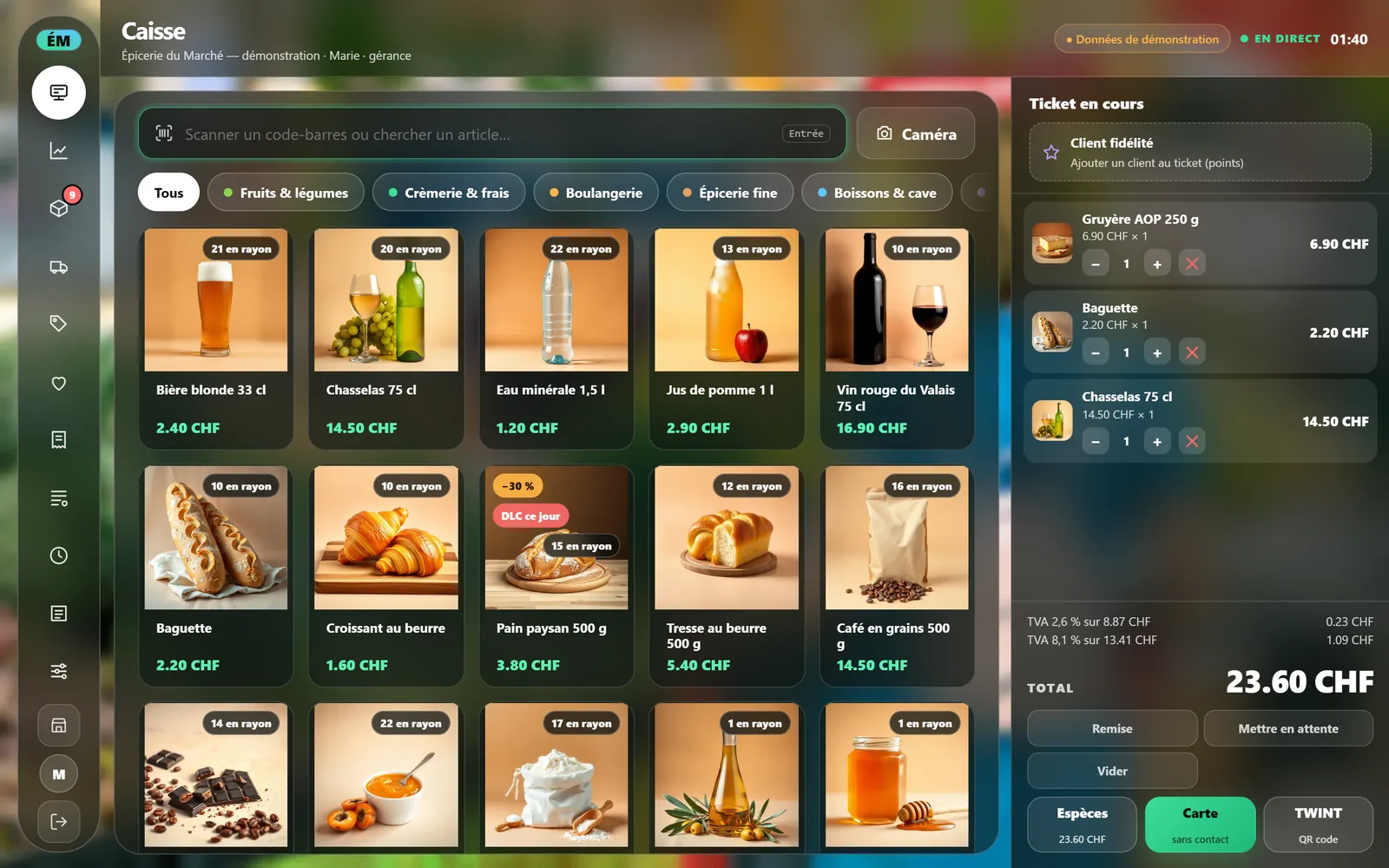
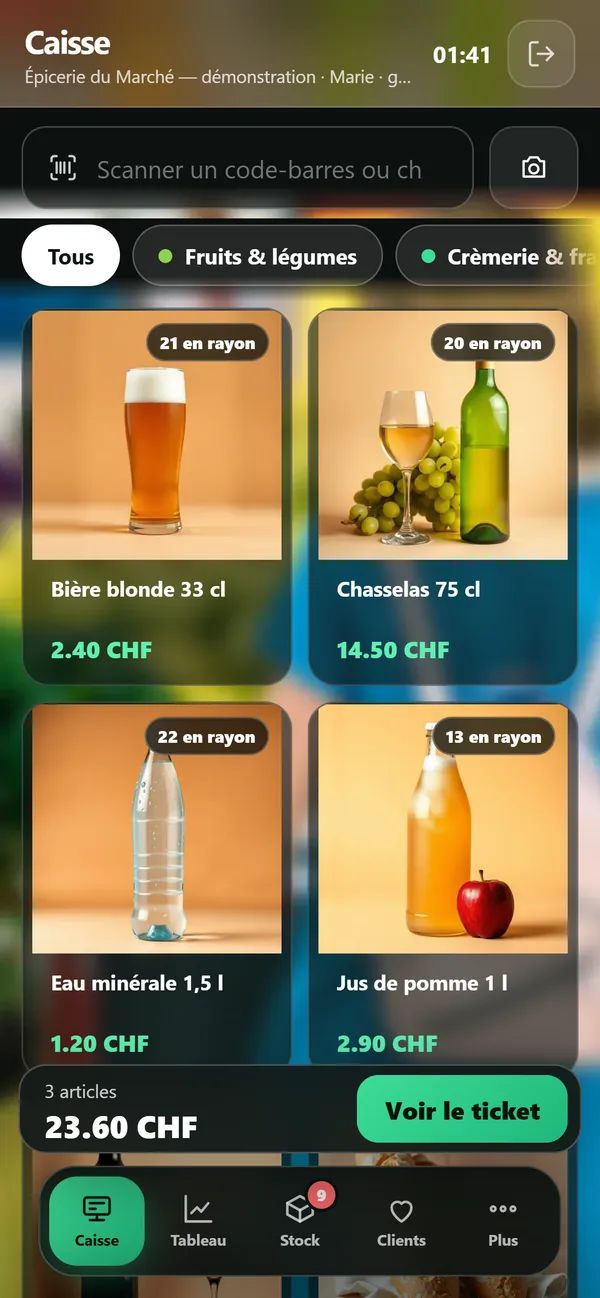
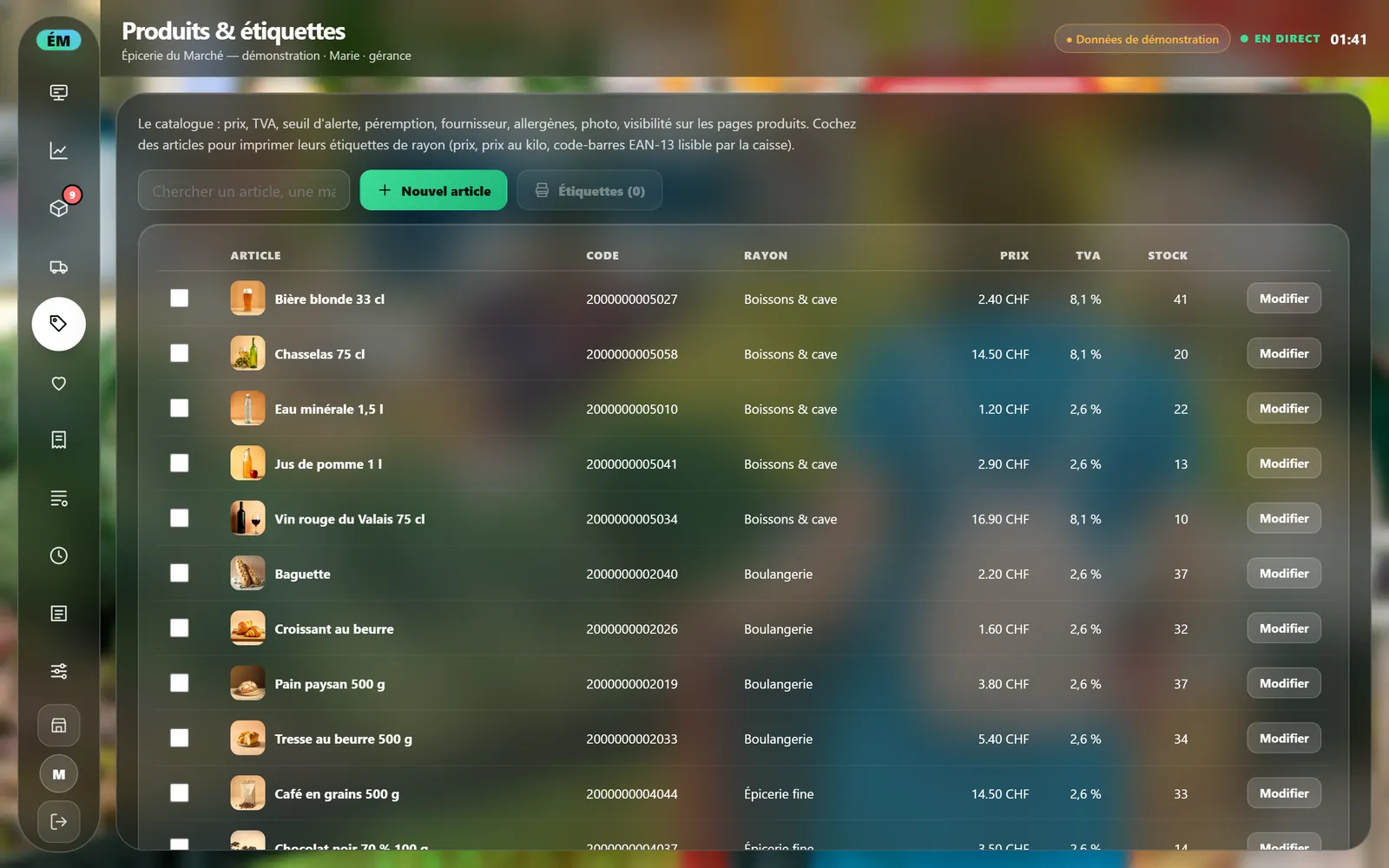
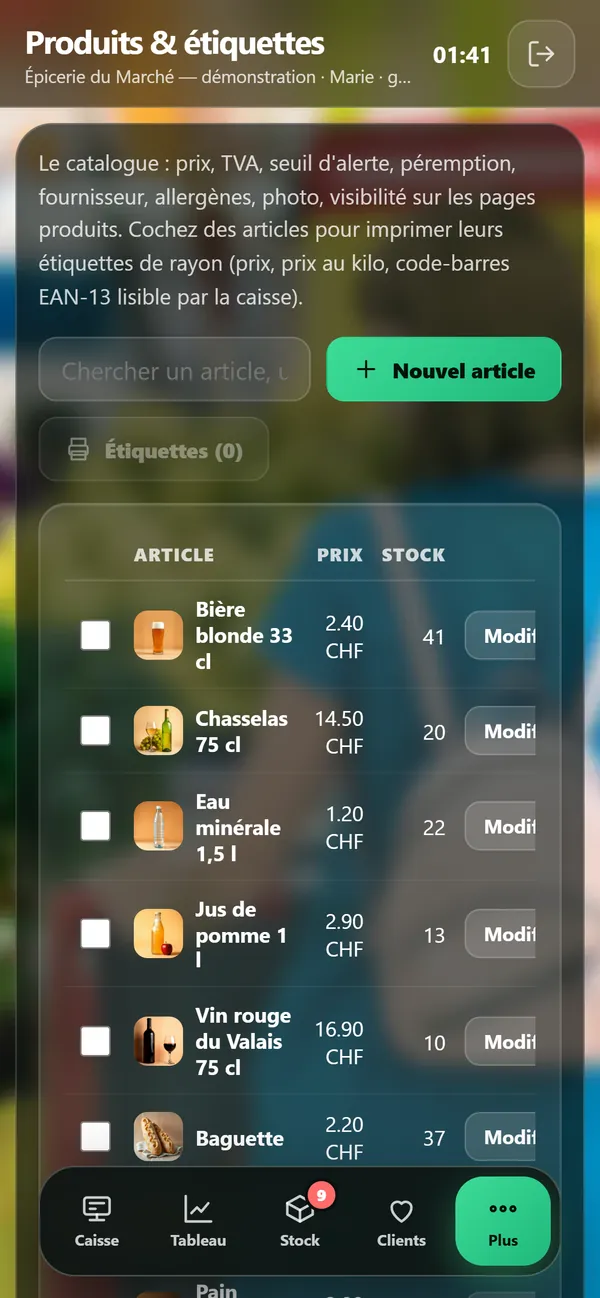
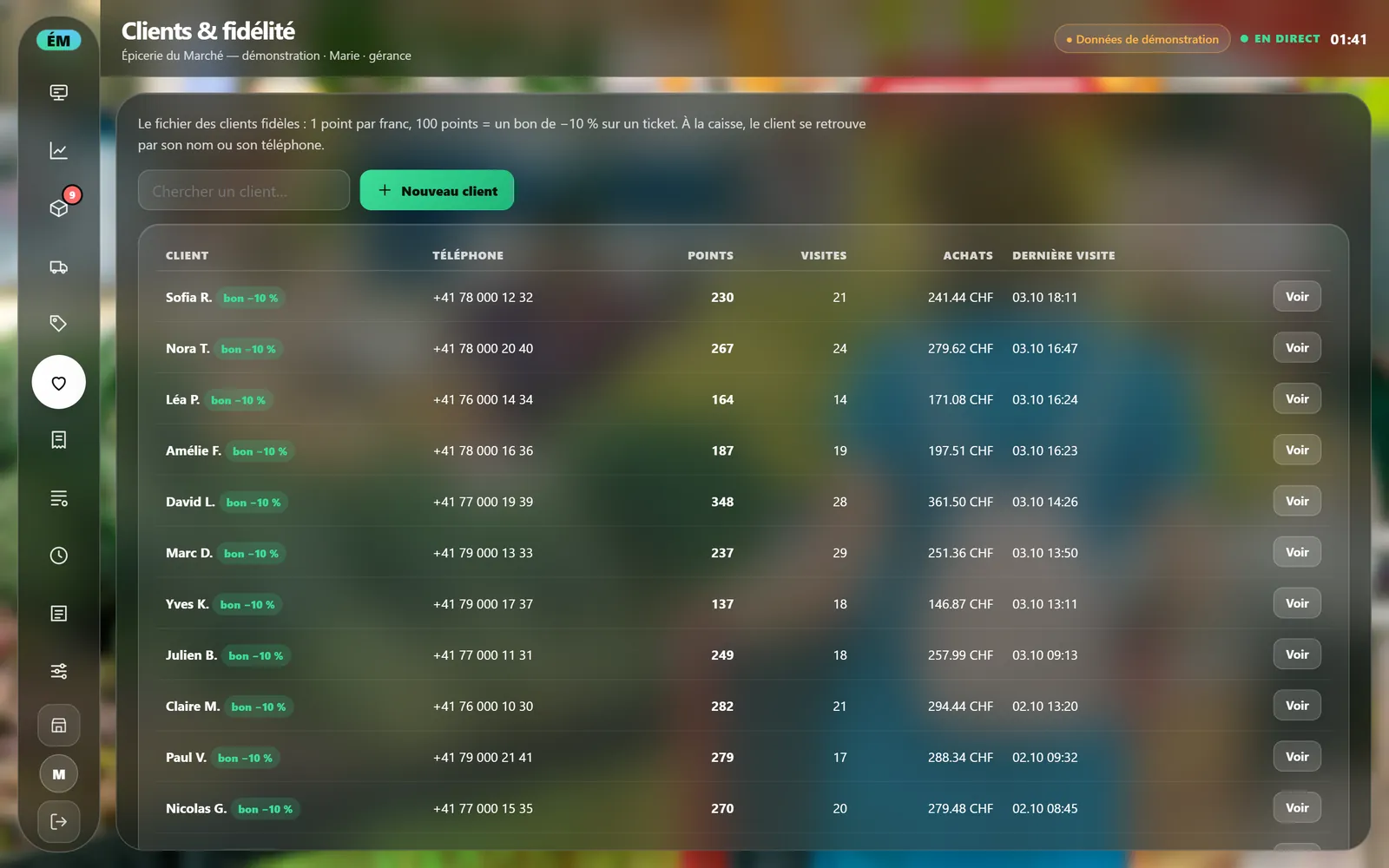
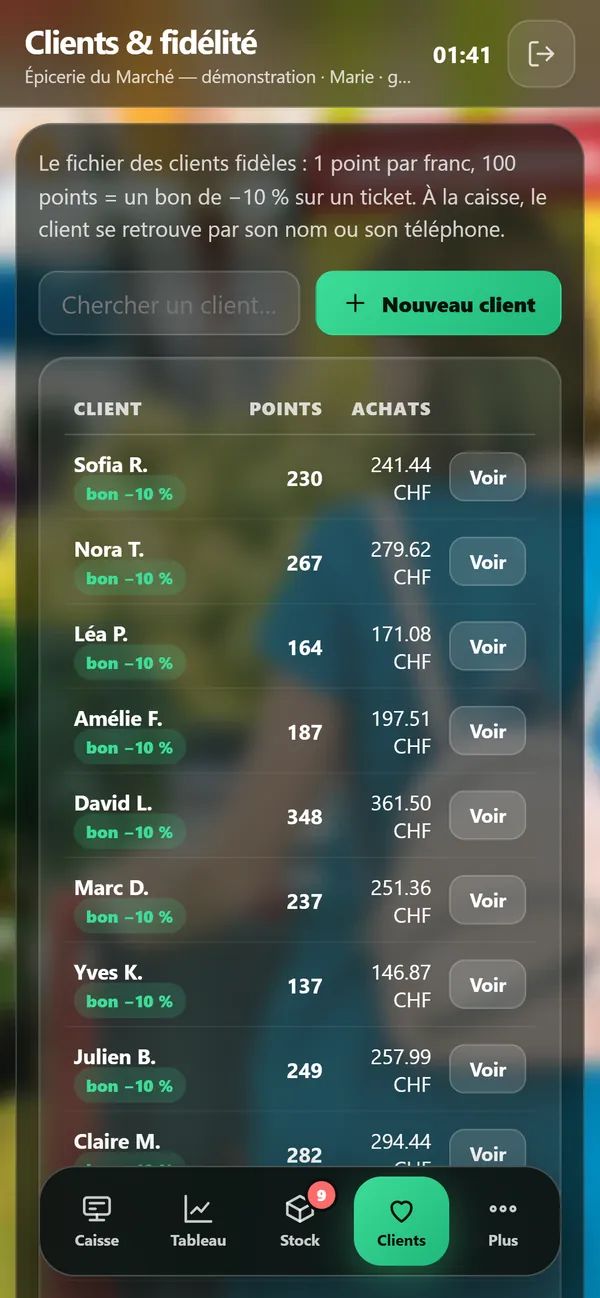
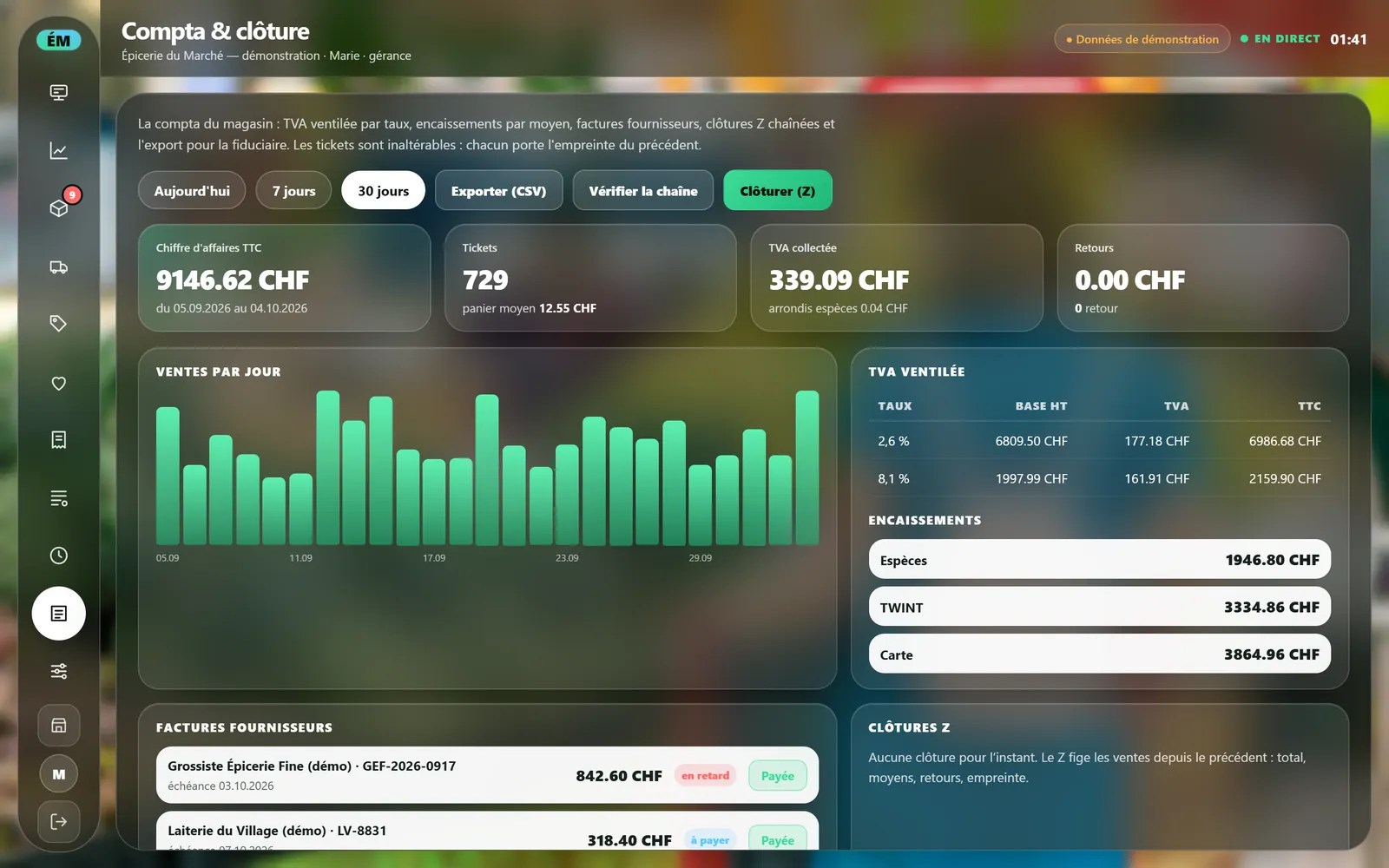
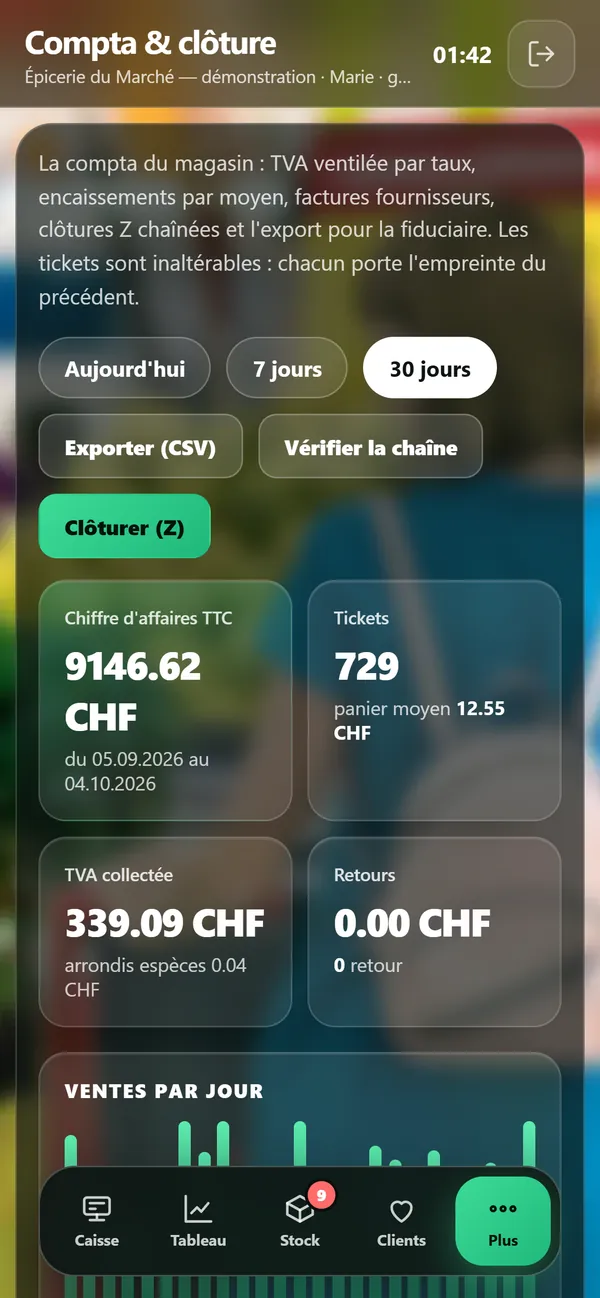
1 / 9The tillScan or tap the item: the ticket fills up and you take cash, card or TWINT.
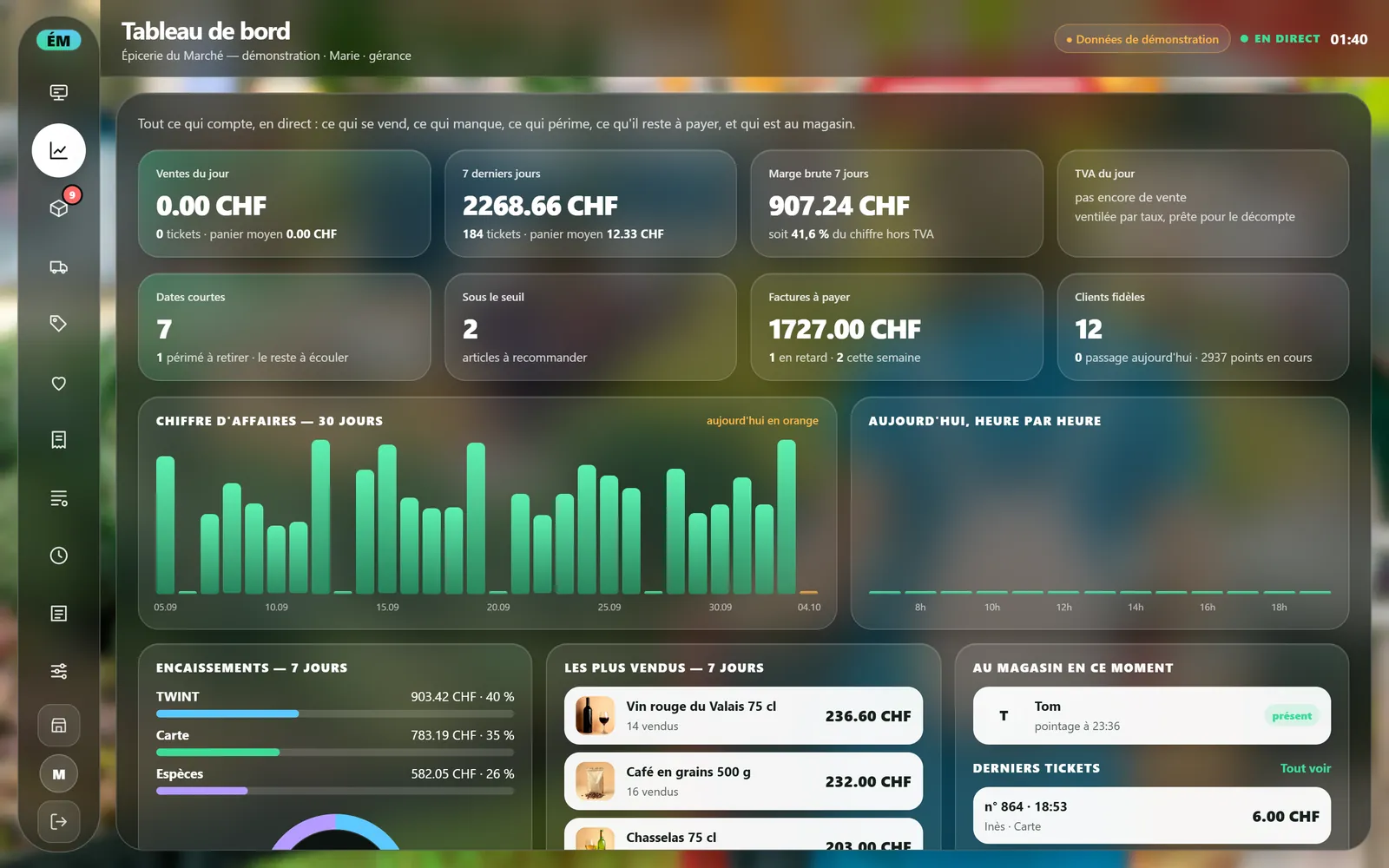
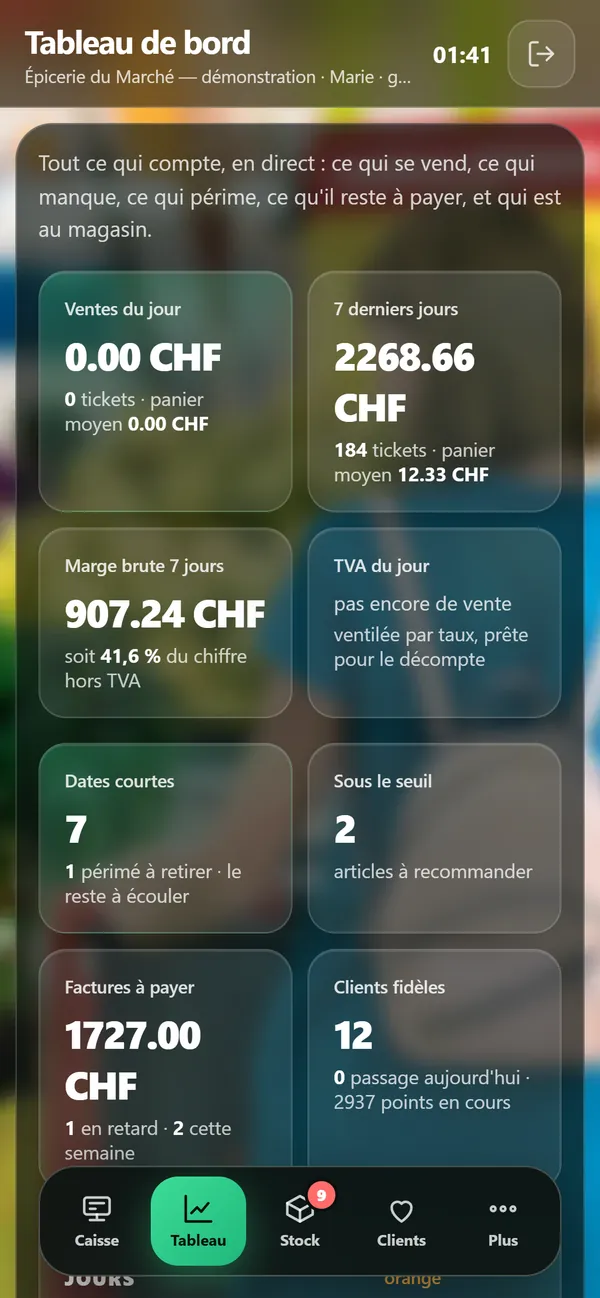
2 / 9The dashboardEverything that matters, live: what sells, what runs short, what expires and who is in the shop.
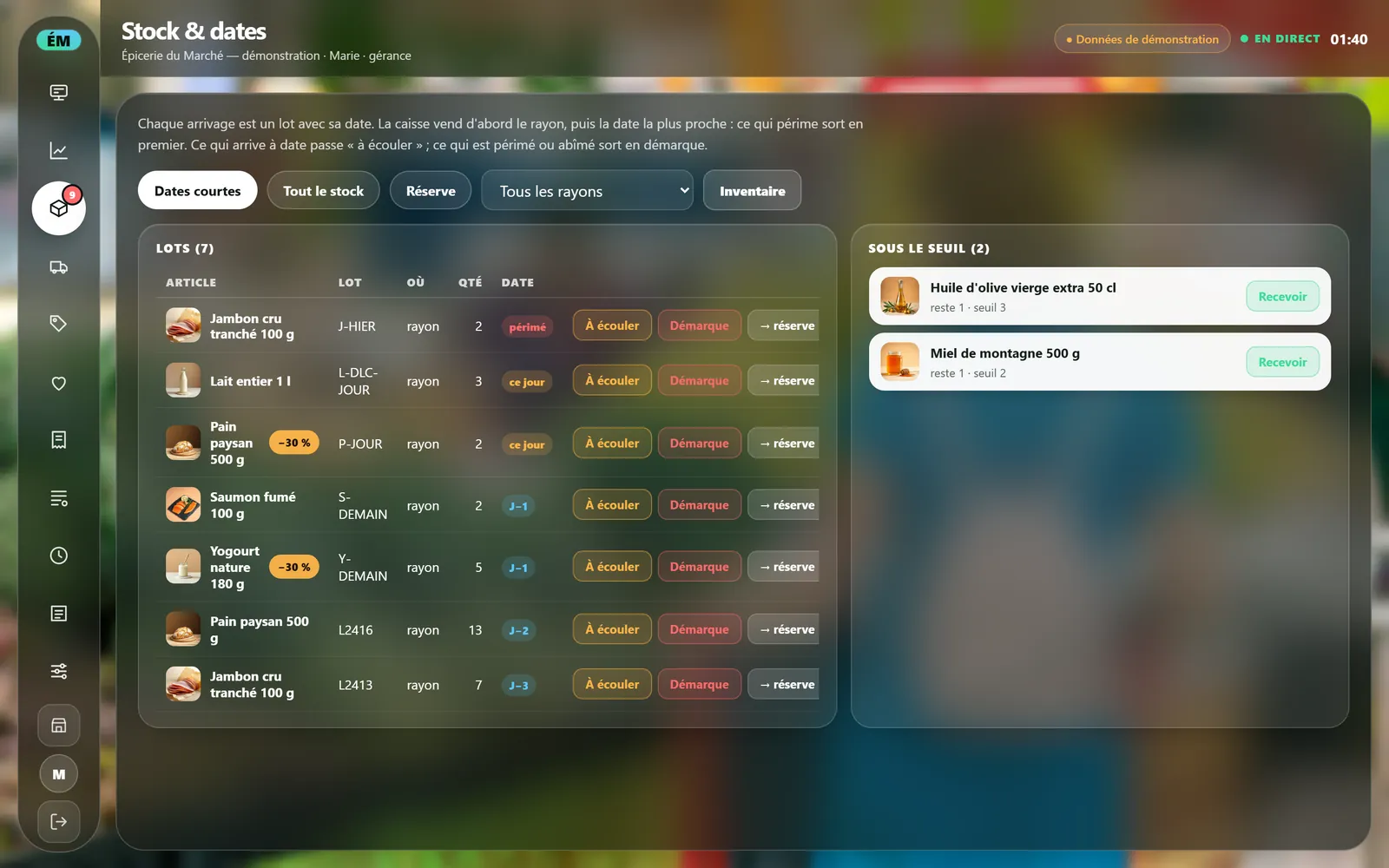
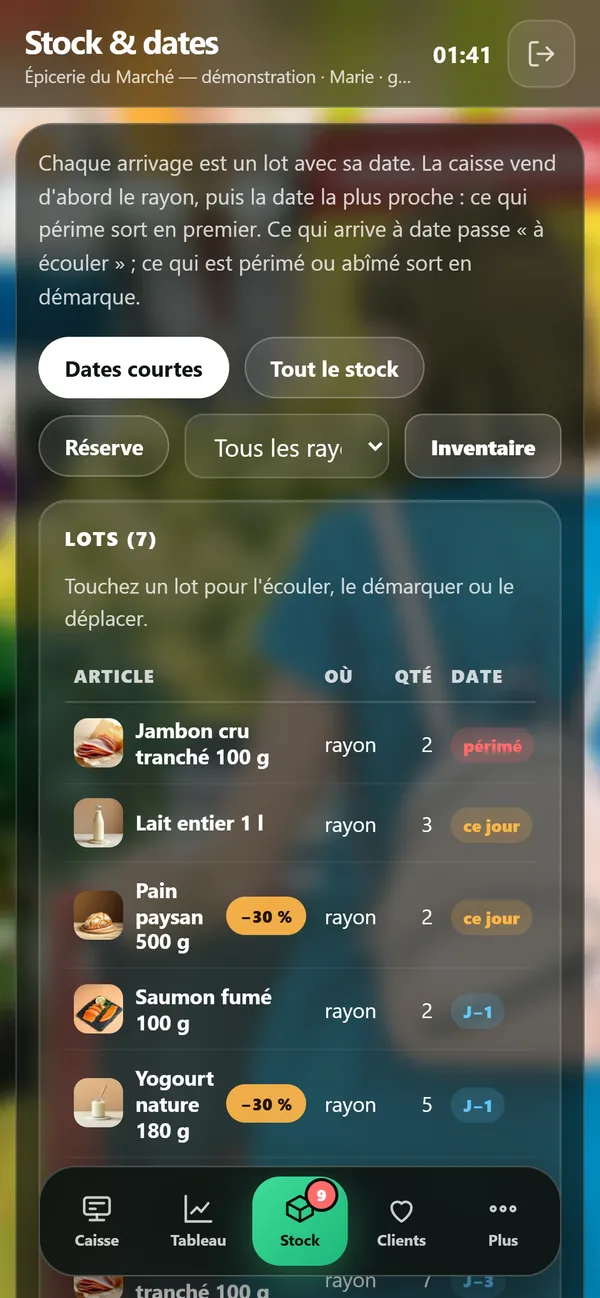
3 / 9Stock and datesEvery delivery is a dated batch: the till sells the nearest date first, and what is about to expire goes on clearance.
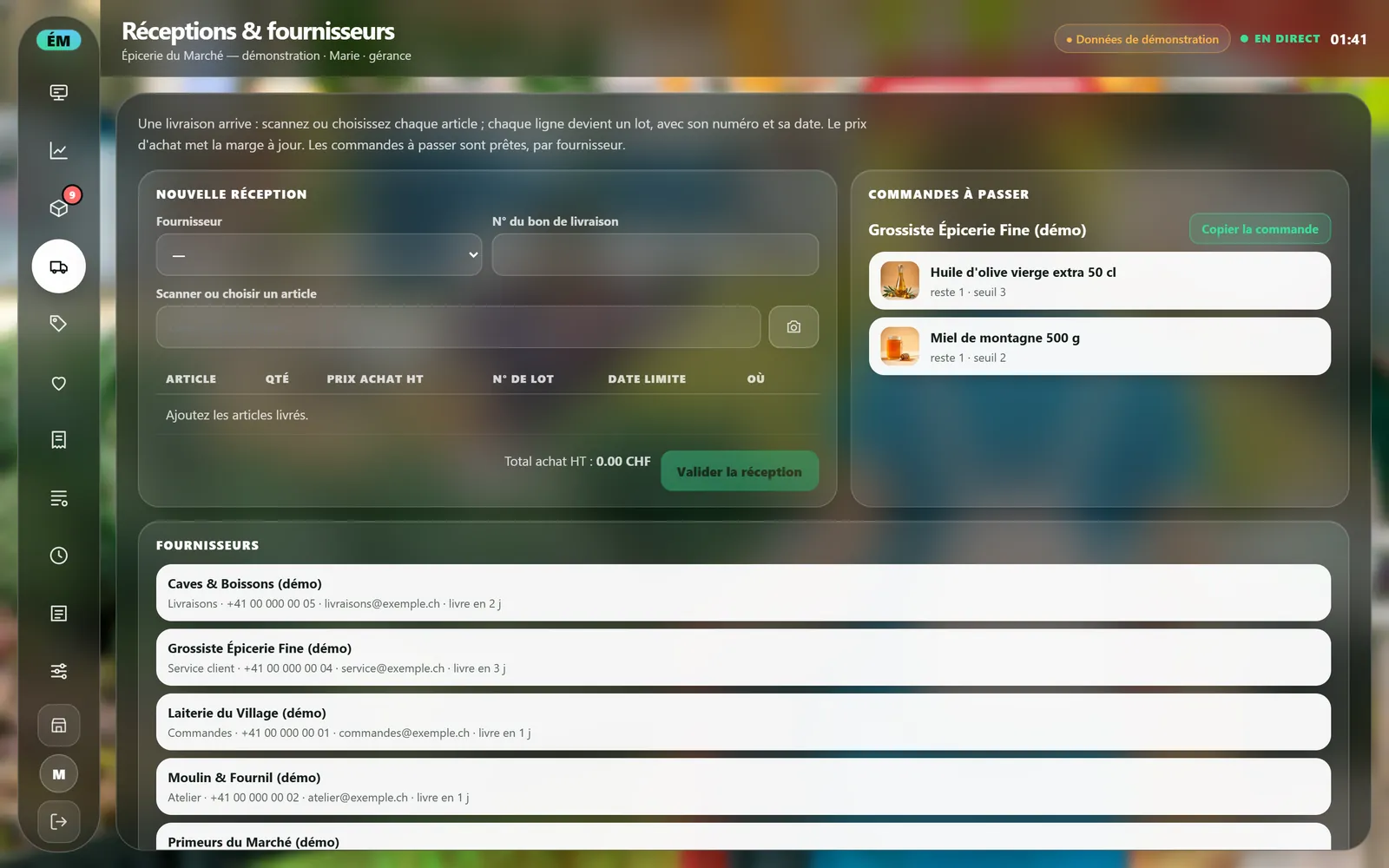
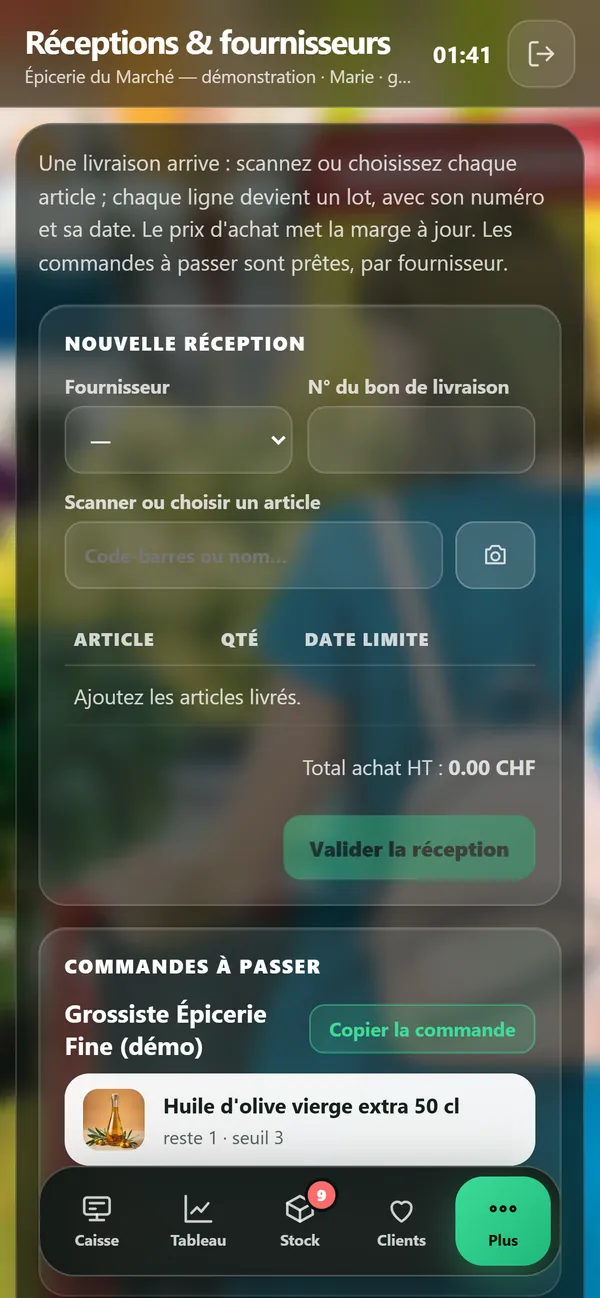
4 / 9Deliveries and suppliersA delivery arrives: every scanned item becomes a dated batch, and the orders to place are ready per supplier.
5 / 9Products and labelsThe catalogue (price, VAT, alert level, expiry, allergens) and shelf labels with price per kilo and barcode.
6 / 9Customers and loyalty1 point per franc, 100 points = a 10% voucher; at the till, find the customer by name or phone.
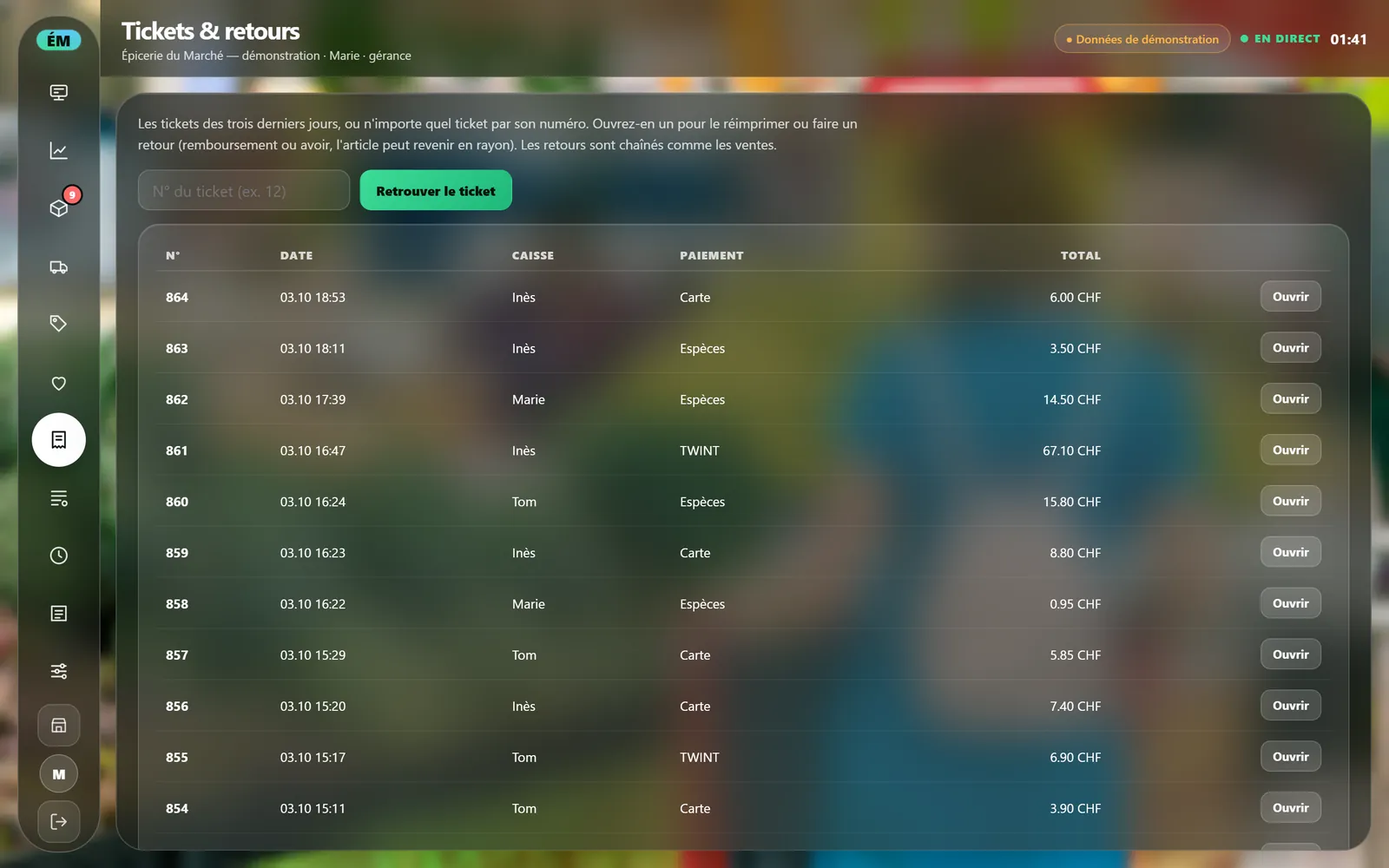
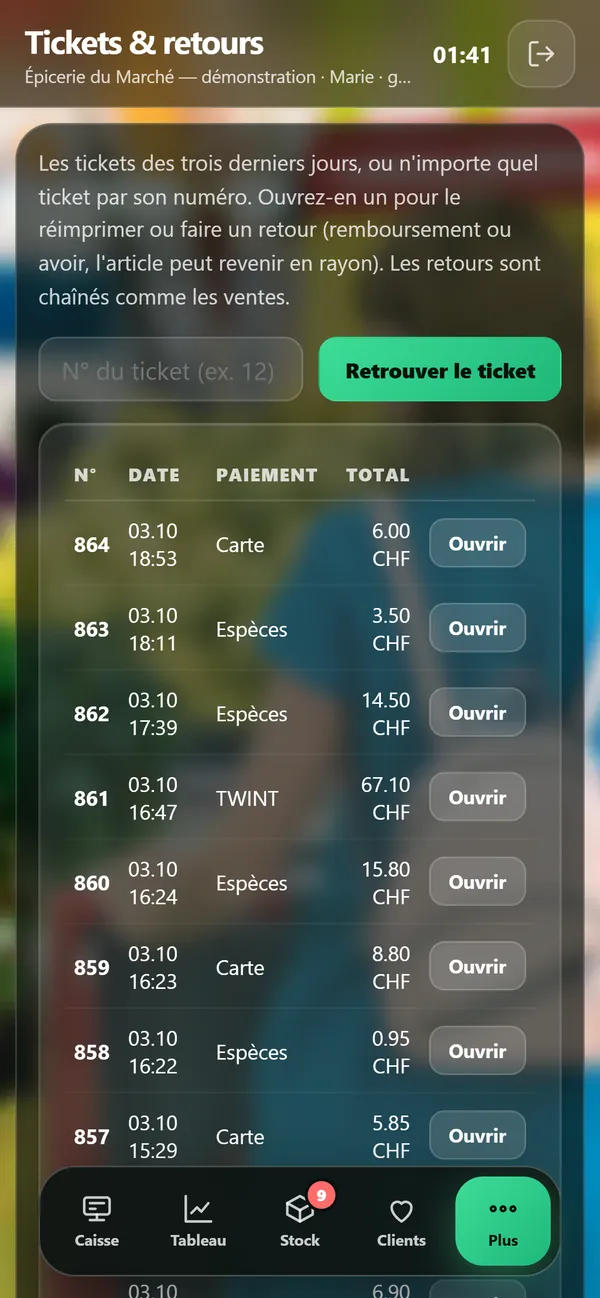
7 / 9Receipts and returnsFind any receipt by its number: reprint it, refund or give a credit note, and the item can go back on the shelf.
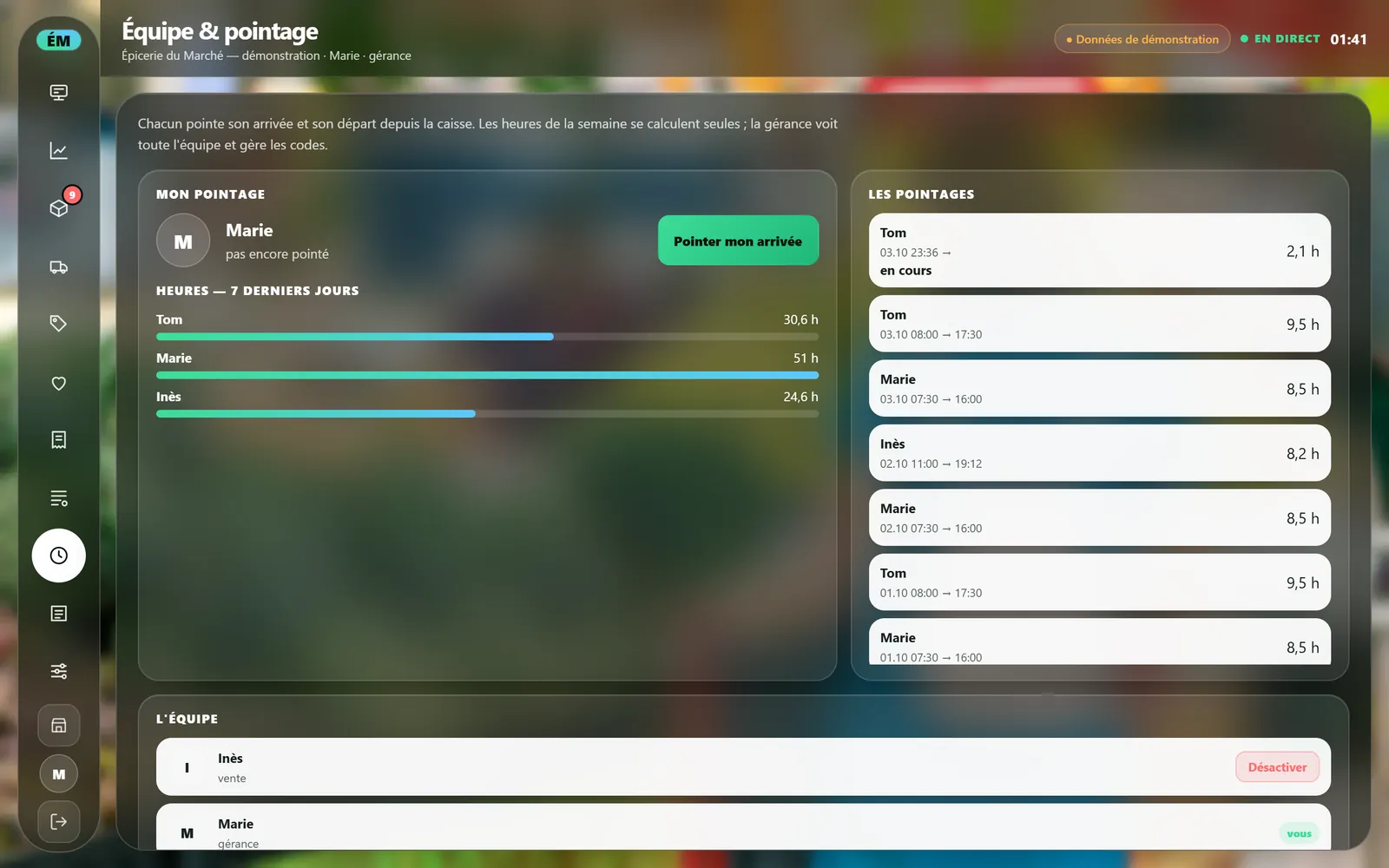
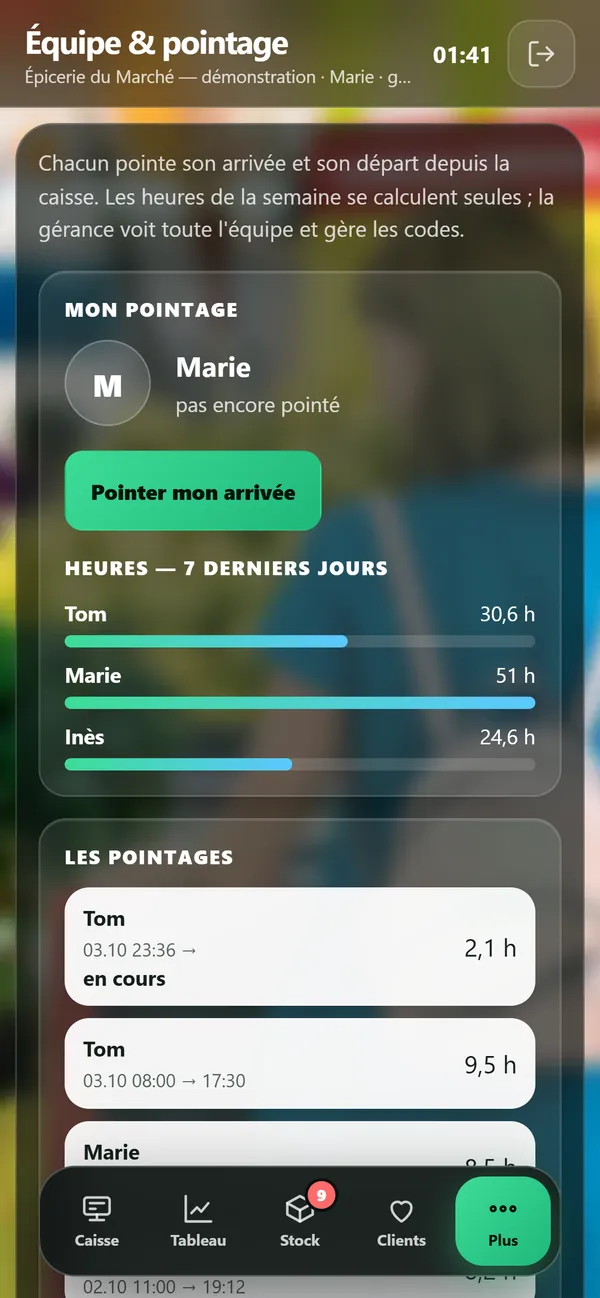
8 / 9Team and time clockEveryone clocks in and out at the till; the week's hours add up on their own.
9 / 9Accounts and closingVAT split by rate, takings by payment type, supplier invoices, chained Z reports and an export for your accountant.
What's included
Scanning, on any device
A USB or Bluetooth barcode scanner, or simply your phone's camera — iPhone included: items are added one after another without closing anything. A code the till doesn't know opens the product sheet: when the product is in the open Open Food Facts database, its name, brand and photo fill in by themselves — you check them and add the price.
Batches, expiry dates and stock to sell first
Every delivery becomes batches, each with its number and its use-by or best-before date. The till sells the batch closest to its date first and flags short dates; a batch marked "to clear" sells at its markdown, on the receipt and on the website. Every write-off (expired, breakage, theft) is logged with its value, and stocktakes go shelf by shelf, with the difference costed.
By weight, by the litre, by the item
The weight is keyed in grams: the price is calculated, and the receipt shows the weight and the price per kilo. Shelf labels (price, price per kilo, origin, EAN-13 barcode) print straight from the till, and an item created without a barcode gets one that the camera can read.
Customer accounts and loyalty
The customer has a card: scan it and they're on the receipt with their points — one point per franc, pound or euro spent, a 10 % voucher at 100 points. Their record shows their points, their visits and their latest receipts; one tap calls them or messages them on WhatsApp or by email, with the message already started.
Shop sales, margins and alerts
Today hour by hour, the week, the last 30 days; the margin; today's VAT; the best sellers; what's below its minimum; the short dates; supplier invoices to pay; who's at work. Every member of staff has their own code and only sees their own screens.
Numbered receipts and a retained history
Receipts are numbered with no gaps and chained: each one carries the fingerprint of the one before, so a deleted or altered receipt shows up when the chain is checked. The end-of-day Z report is chained too, and the export for your accountant is one click.
Your shelves, live on your website
The items you choose appear on the shop's website, with their availability updated live by the till: on the shelf, in the stockroom, sold out, "only 3 left". Customers know before they come in.
Pricing
POS Ultra Commerce: Essential £49/month · Management £89/month, per shop, 12-month minimum — open demo · EUR = CHF = £, one to one.
Frequently asked questions
How much does it cost?
Two plans, per shop. Essential, £49 a month: the till, receipts and returns, customers and their loyalty, stock, batches with their dates and the alerts. Management, £89 a month: on top of that, supplier deliveries, stocktaking aisle by aisle, margin and shrinkage in figures, your team and its time clock, and the shelf live on your website. 12-month minimum; the same number in pounds, euros and Swiss francs. You can try the demo without signing anything.
Do I need to buy hardware?
No. It runs on the phones, tablets and computers you already have. A USB or Bluetooth scanner plugs in if you have one; otherwise the camera is enough. Card payments stay on your bank's terminal.
Is it compliant where I trade?
The demo is set up for Switzerland: VAT at 2.6 % and 8.1 %, cash rounded to 5 centimes, TWINT and card payments recorded at the till using your own terminal, and a chained journal. Those features alone do not certify an installation. Receipt details, tax settings, record retention and archive recovery must be checked before live use. The UK and Gibraltar settings and their record-keeping requirements are checked for your business before installation.
Can I try it?
Yes: the demo is open — a demonstration grocery shop with its aisles, its short dates and 35 days of sales, reset every morning. The demo is in French for now.
Read more on this topic
- SEO explained simply: what it is and what it changes for your business — SEO is what makes a customer who searches for what they need on Google land on you rather than someone else. Explained without jargon: what Google looks at, what moves you up, and what you should never believe.
- The quote that goes out before your competitor’s — On building work it is not always the cheapest who wins: it is often the first to answer. How an automated quote on your site prices the job while the customer is still reading, and what that changes.
- Changing a price on your website without asking permission — Waiting three days and paying a quarter of an hour of labour to fix a price is daily life for many businesses. What a content editor changes, and what it really costs.
- The appointments you lose while you are working — A customer who calls while your hands are busy rarely calls back: they call the next place. What an online booking calendar on your own site fixes, what it costs, and why the booking must belong to you.
- Ultra POS: till, kitchen and ordering in one system — Delivery platforms take up to 30% of the basket, and the till, the website and online ordering are usually three separate subscriptions. What Ultra POS brings together, and what it changes on the bottom line.
- Finally knowing which page actually works for your business — Most owners pay for a website without ever knowing what it does. What visitor tracking shows, what it lets you stop paying for, and why a Google position alone proves nothing.