Bookings
Let customers book directly on your website
A table or a service: customers choose a date and time, receive confirmation and you find the booking in your own system.
See the features ↓
What it changes for you
A customer wants to book while you cannot answer the phone. On your website, they choose a date, time and number of guests or the service they need. They receive confirmation and you find the booking and contact details in your own system, without a booking platform in between.
See it in action
The real demo screens, on a computer and on a phone. Fictional data.
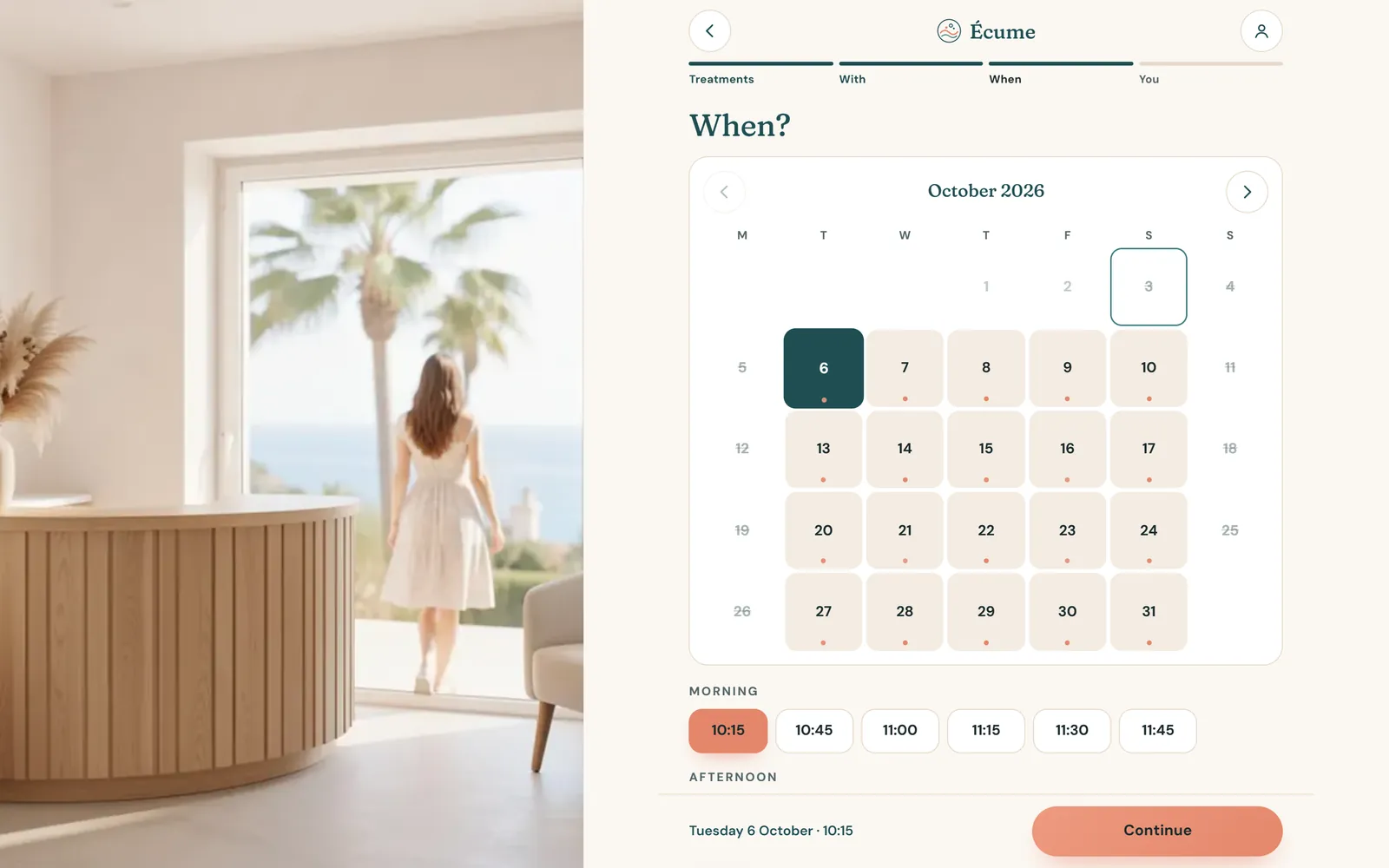
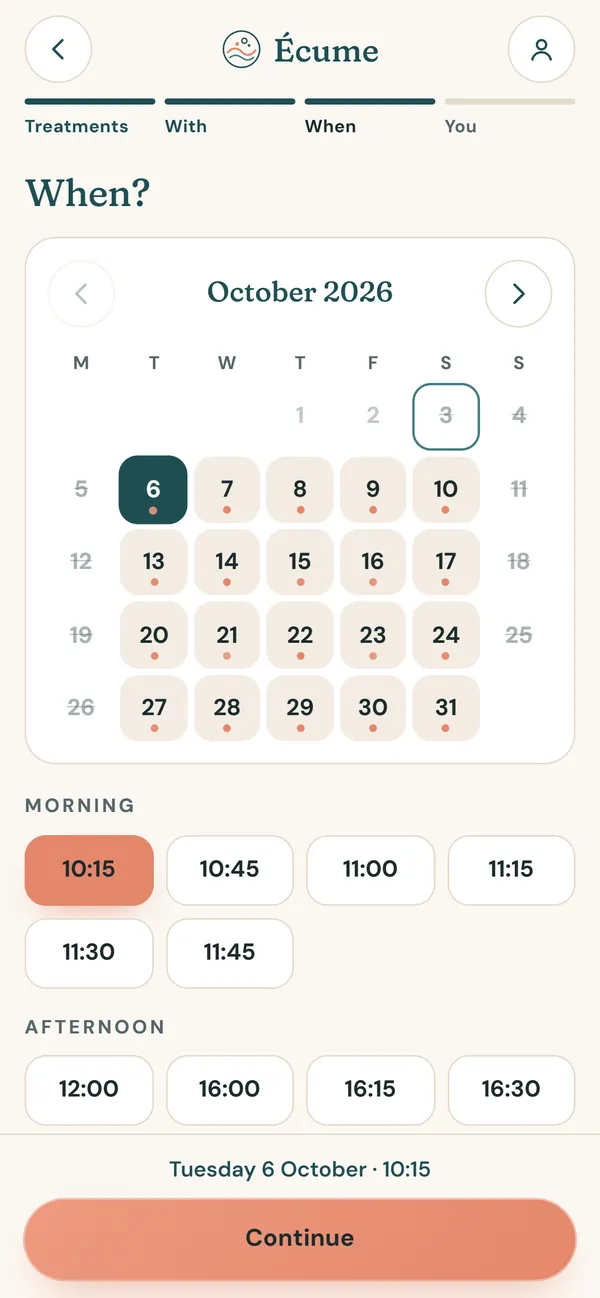
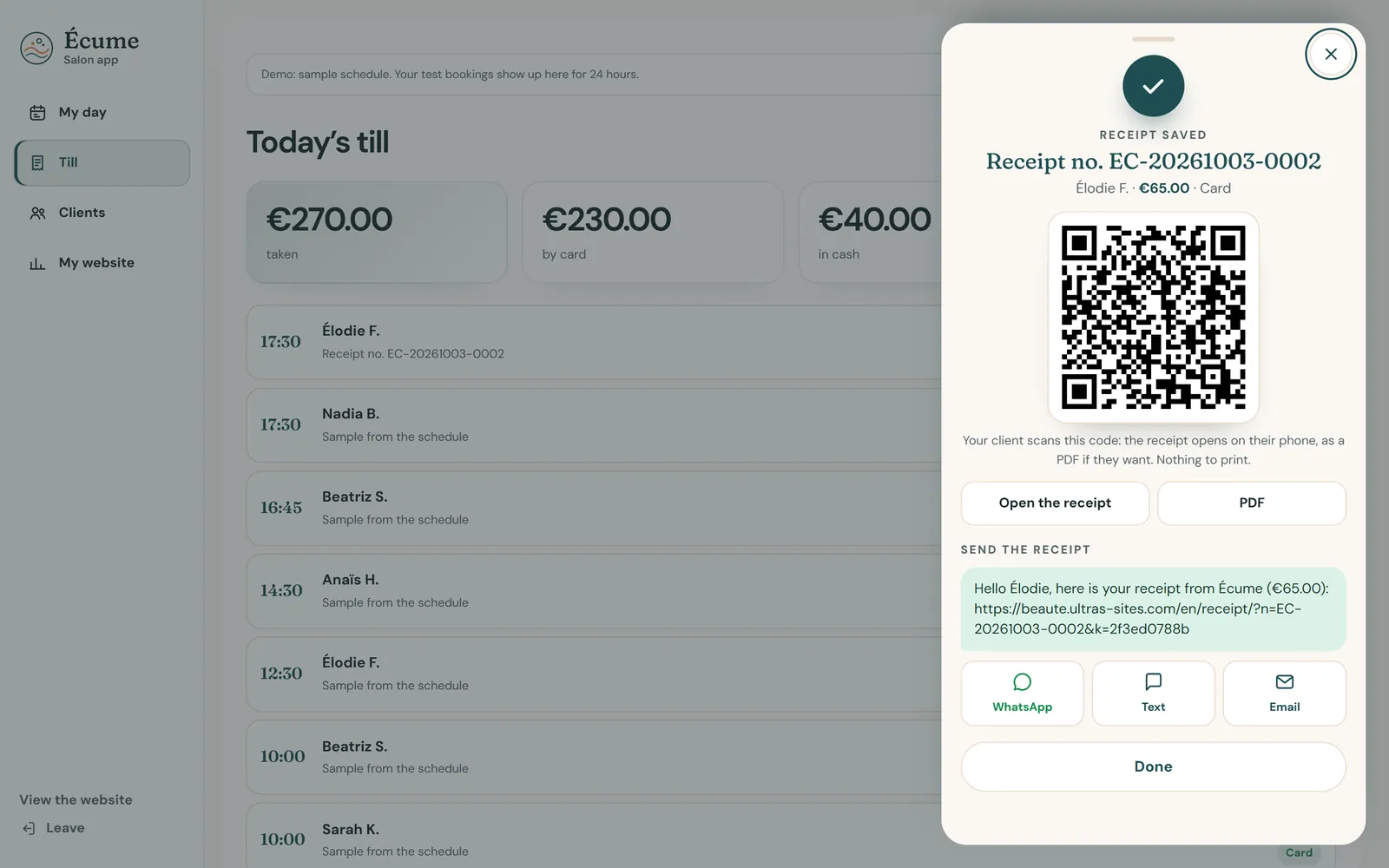
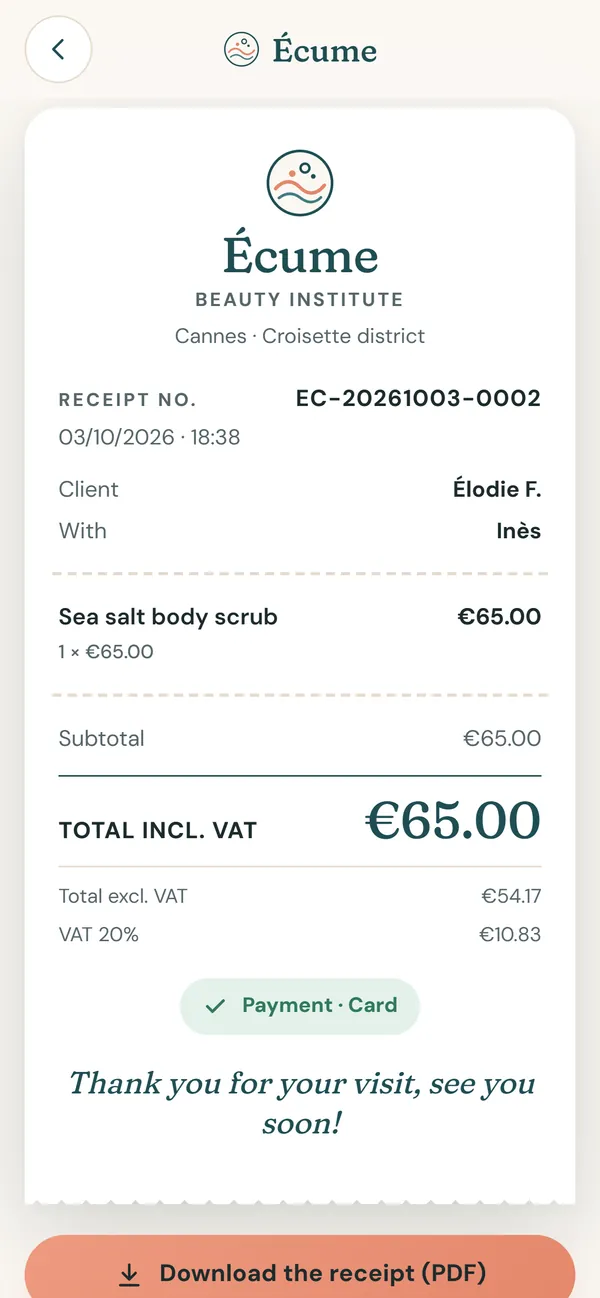
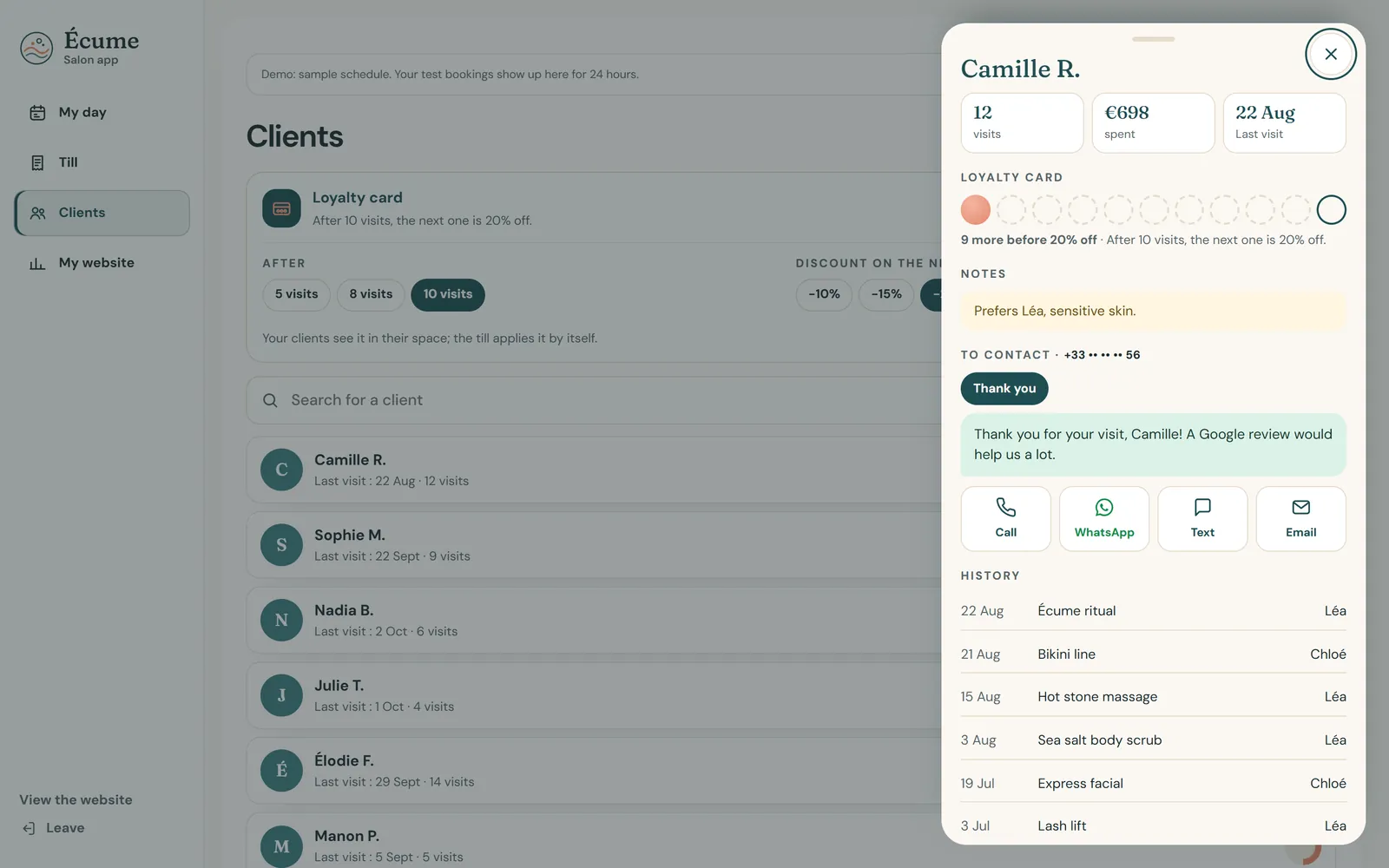
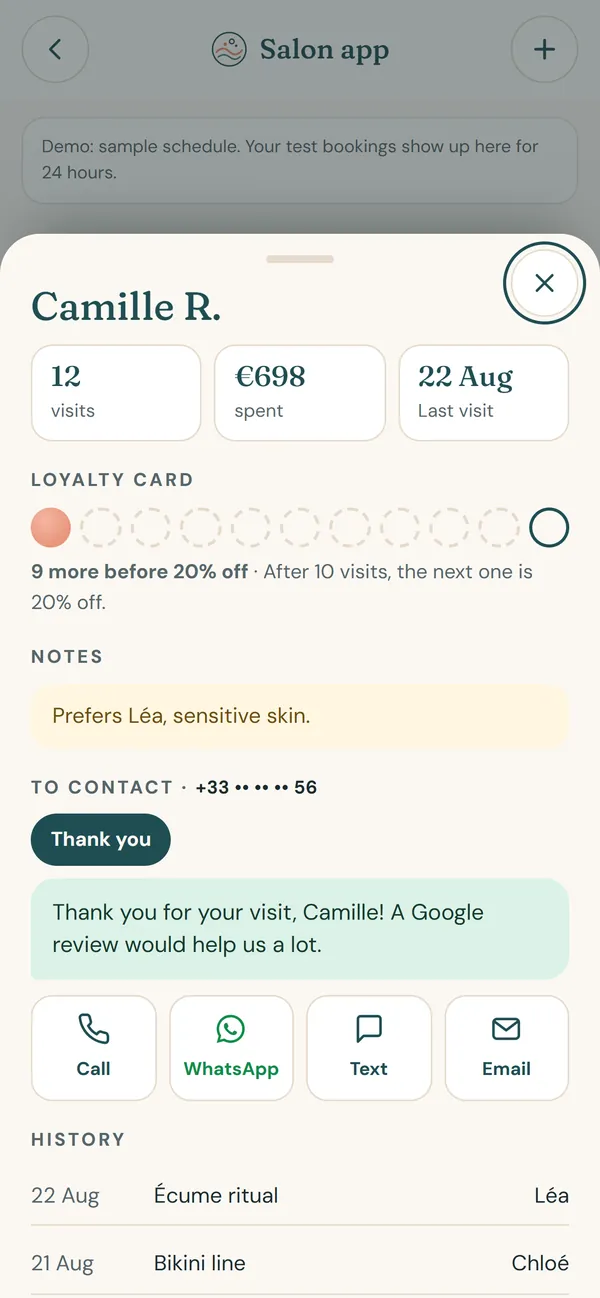
1 / 8Booking on your websiteThe treatment, who with, the day, the time: your client books without an account, even while you are working.
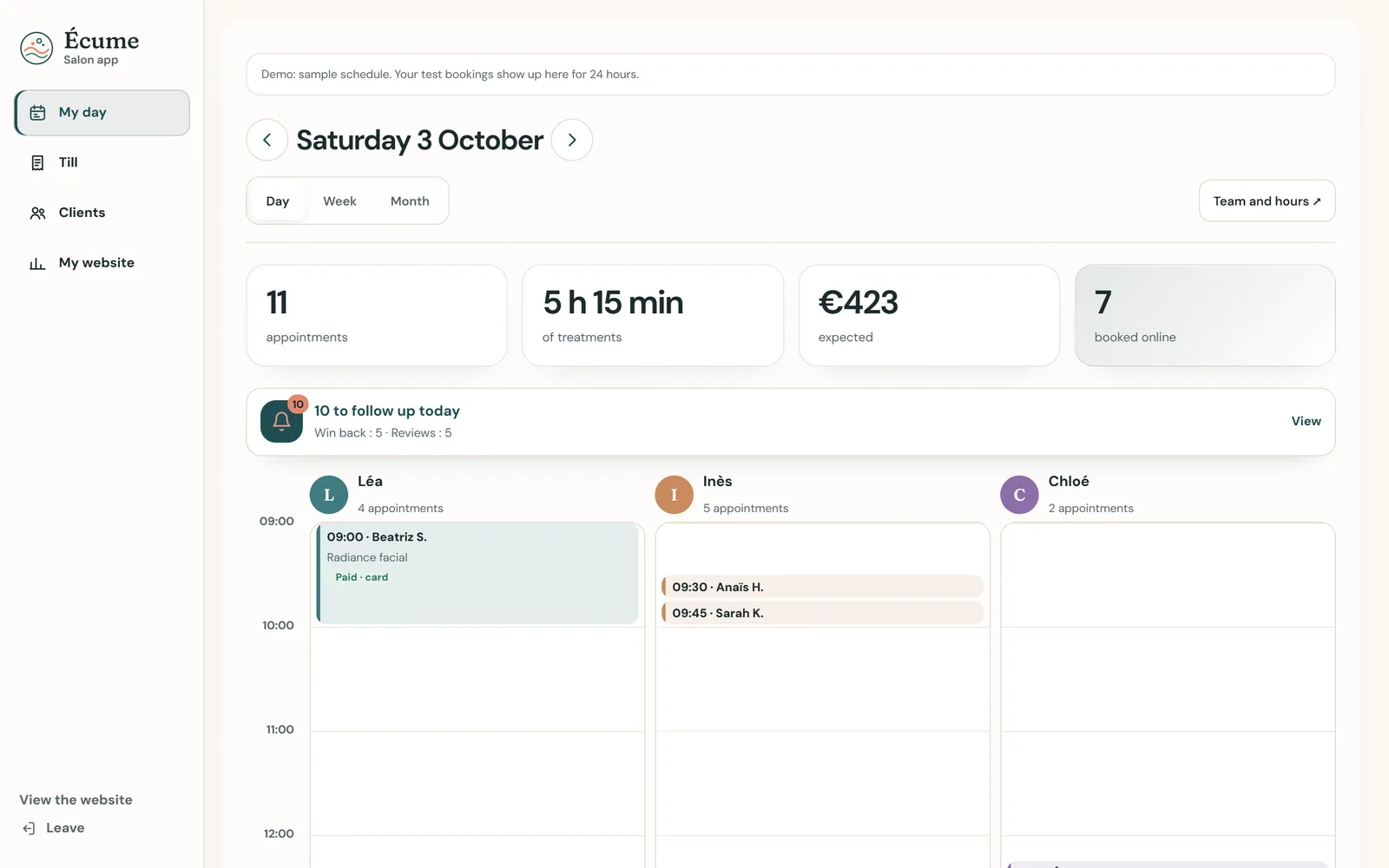
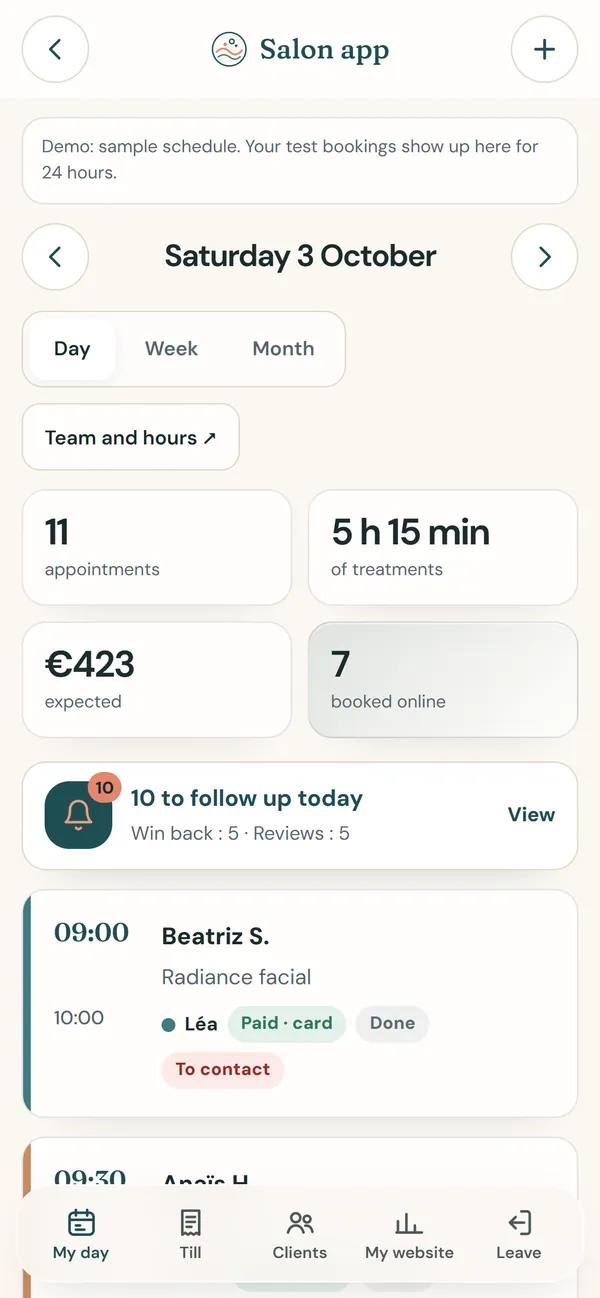
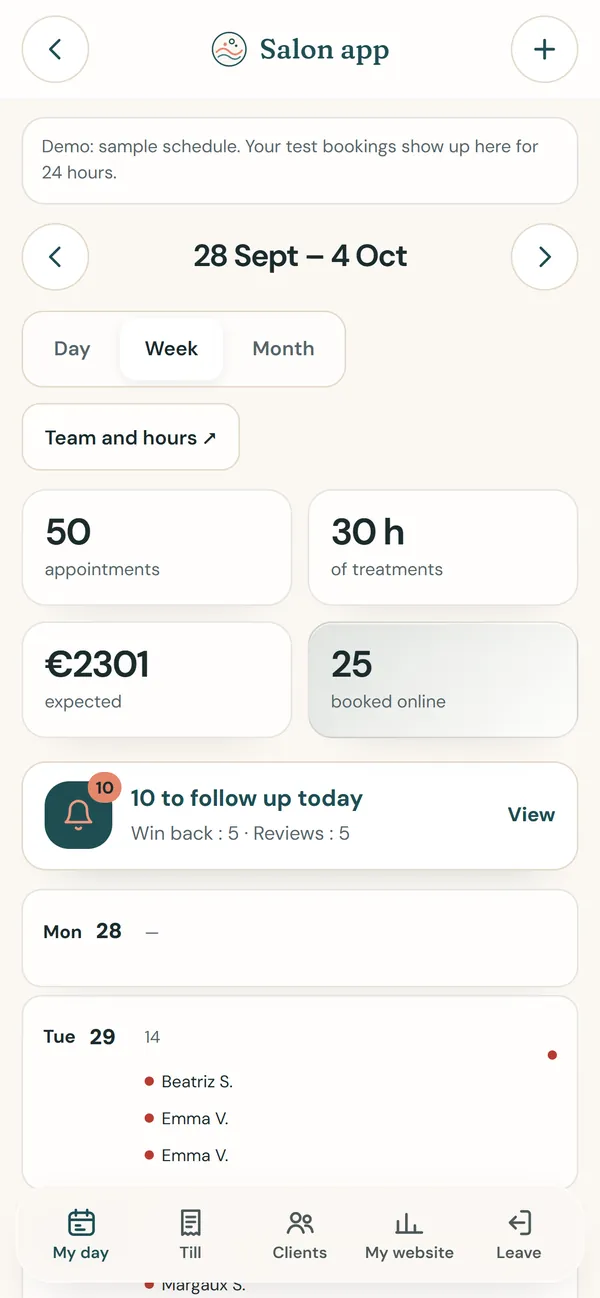
2 / 8Your dayWho is coming, at what time and with whom; plus the clients to get back in touch with today.
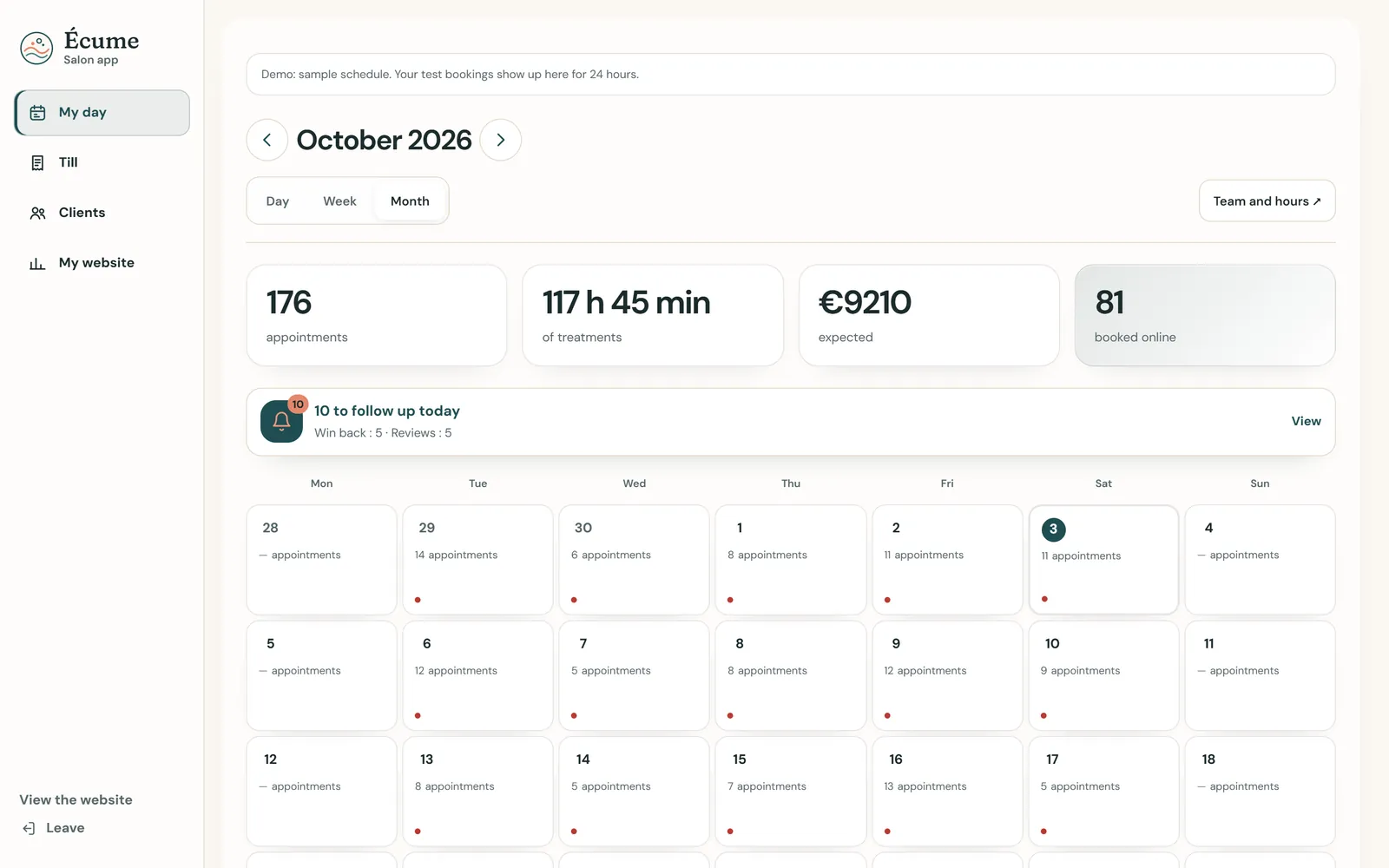
3 / 8The diaryBy day, week or month, with the appointments booked online and the expected takings.
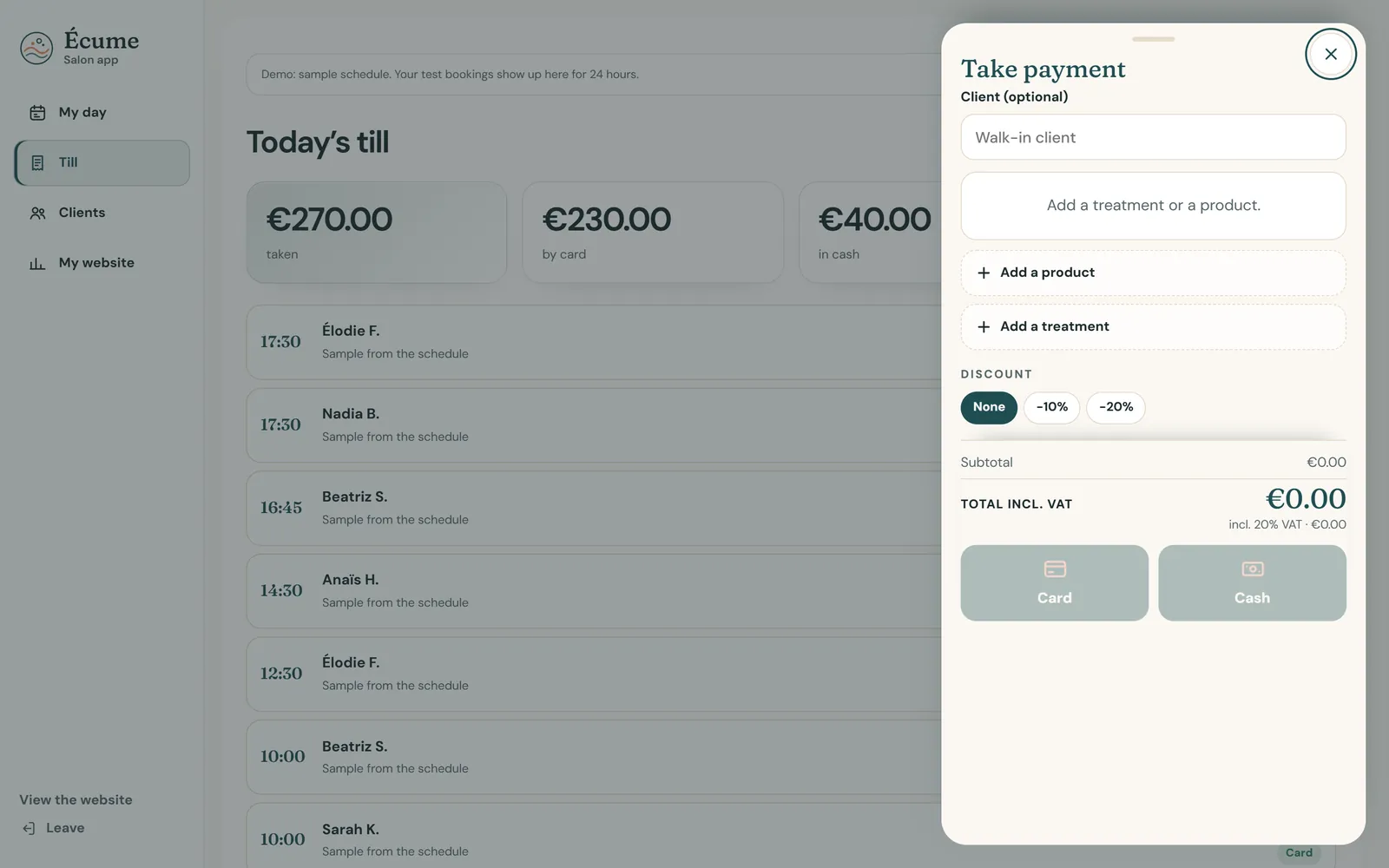
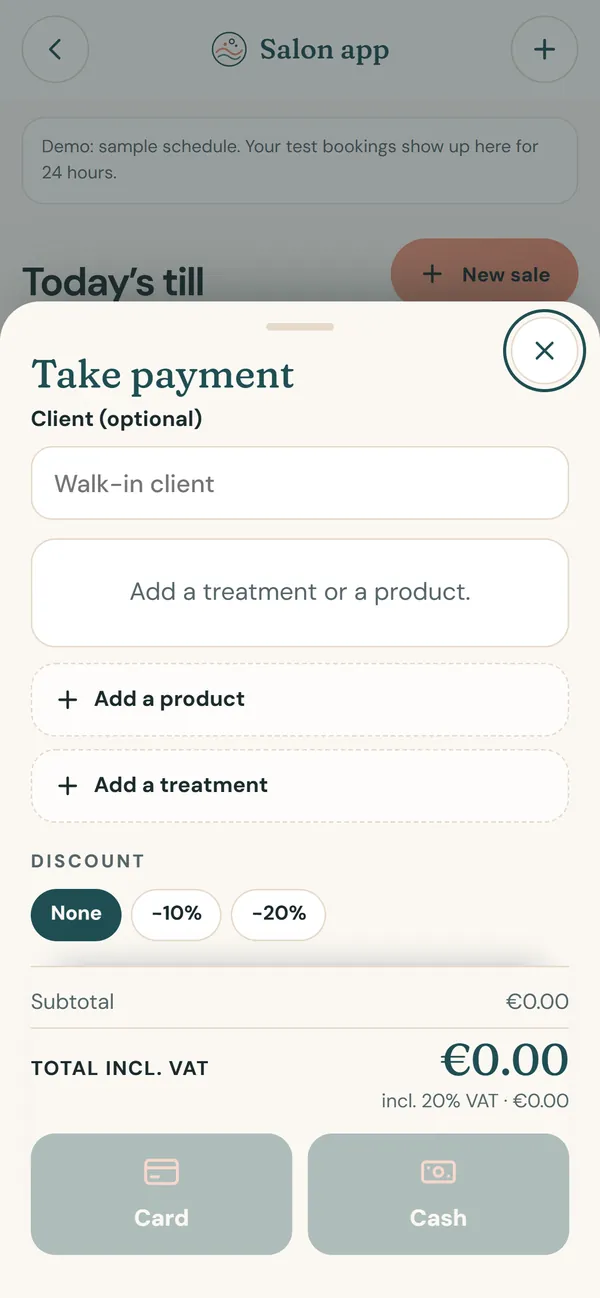
4 / 8The salon tillA treatment, a product, a discount; card or cash, VAT included.
5 / 8The receipt by QR codeYour client scans the code: the receipt opens on her phone, as a PDF if she wants. Nothing to print.
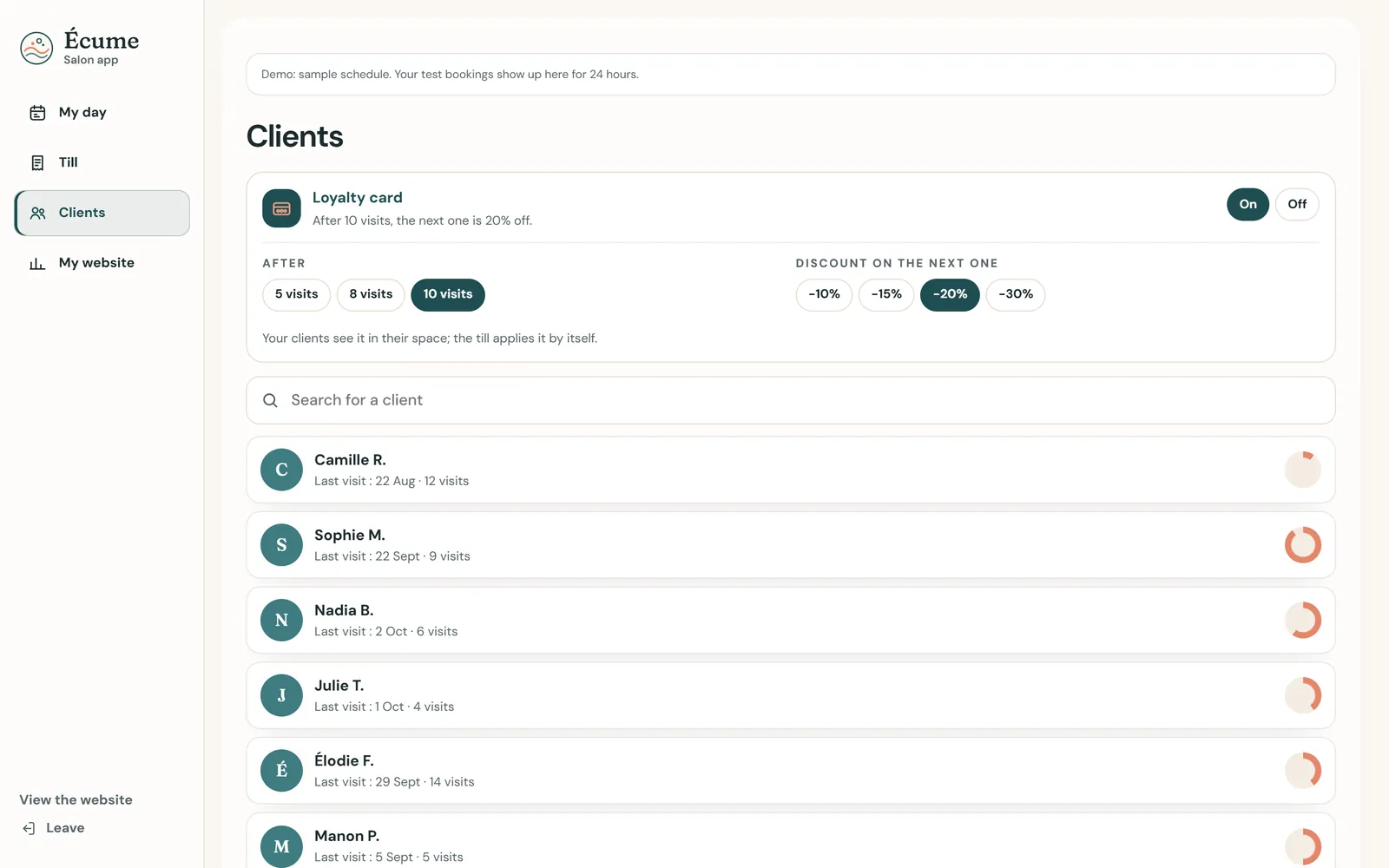
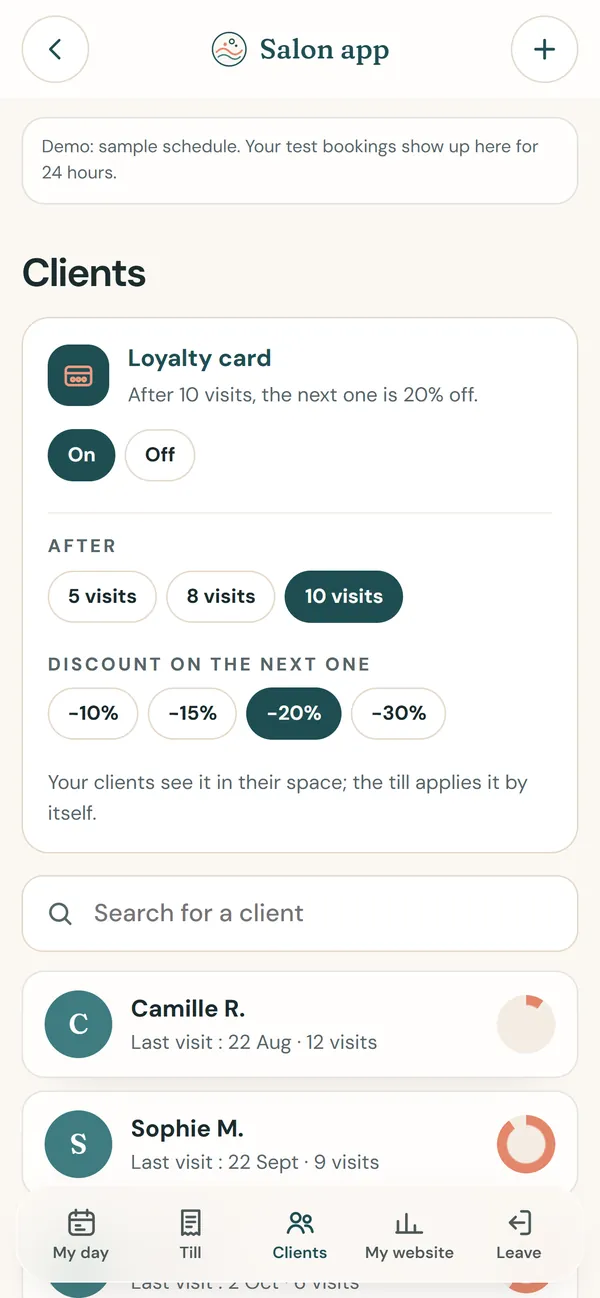
6 / 8The client recordHer visits, what she has spent, her preferences, her loyalty card; a message ready for WhatsApp, text or email.
7 / 8LoyaltyYou set the rule (after 5, 8 or 10 visits, 10 to 30% off the next one): the till applies it by itself.
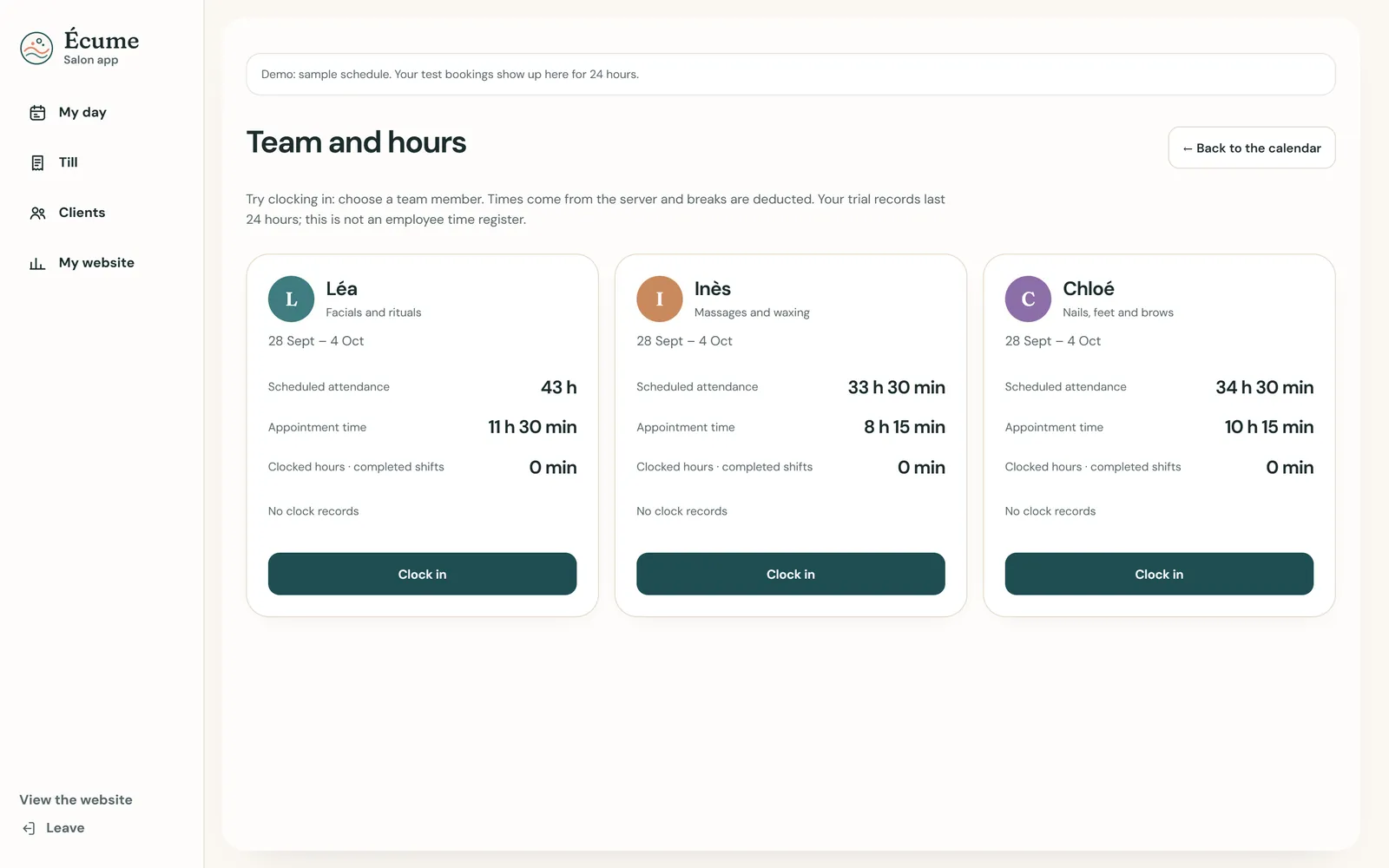
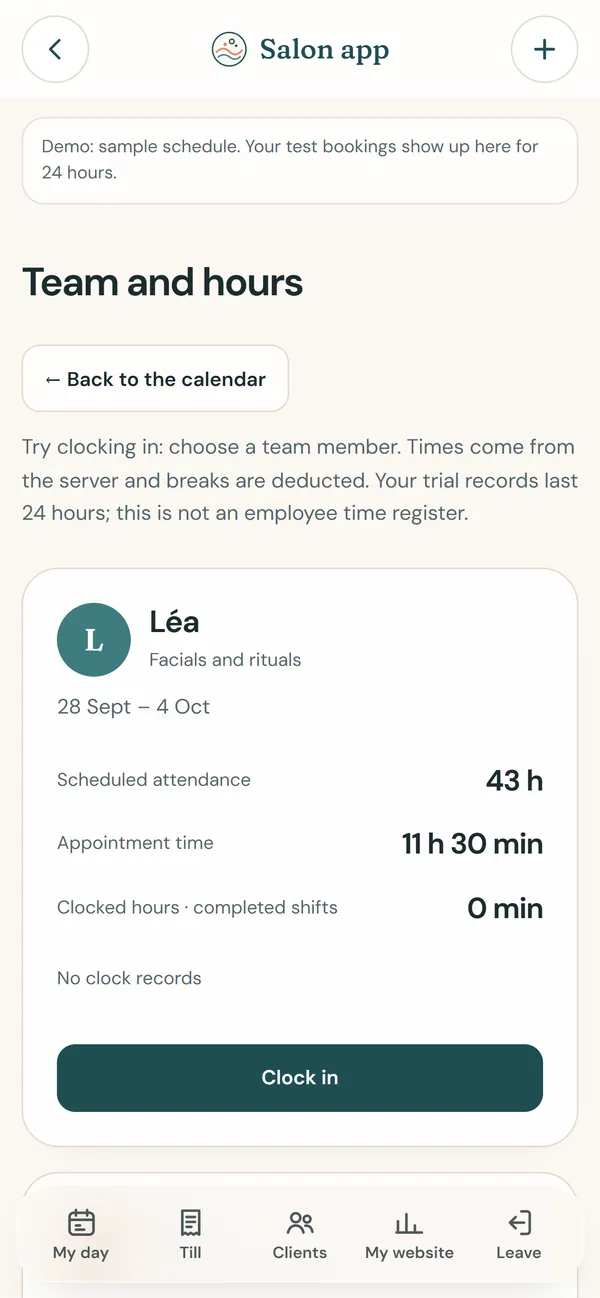
8 / 8The team and its hoursEach person clocks in and out; planned presence, treatment time and hours worked, side by side.
What's included
For a restaurant
Table bookings by service, with the number of covers and a free note. The booking appears on the floor plan of the POS Ultra till, the table turns to “booked”, and the waiter sees who is coming and when.
For a salon, a clinic, a tradesperson
Slot booking on a diary, by service and by person, confirmed on screen; the customer adds it to their phone, which reminds them the day before. On Monday morning the diary is already filled with what was booked over the weekend.
Customer details in your own records
Every booking grows your file: name, contact, habits. A platform keeps all of that for itself and sells it back to you as visibility. Here it is yours, and it stays yours.
No fee per booking
The tool is paid by a fixed monthly subscription you can cancel, never by a share of each booking. A full evening costs the same as an empty one.
Pricing
Bookings in Salon Ultra: Solo £59 · Team £99 · + Management £159/month · included in POS Ultra for restaurants · EUR = CHF = £, one to one.
Frequently asked questions
How much does online booking cost?
It is included in Salon Ultra, the salon tool: Solo £59, Team £99 or £159 a month with business management. For a restaurant running POS Ultra, it is part of the till.
Can the customer cancel?
Yes, from the link in their confirmation, up to the deadline you set. You are notified, and the slot frees up for someone else.
Does it replace the phone?
No, it adds to it. The phone still rings; simply, half the bookings now arrive without anyone picking up, including at night.
And bookings taken by phone?
They are entered into the same diary in ten seconds, so the floor plan or the diary is complete in one place.
Read more on this topic
- SEO explained simply: what it is and what it changes for your business — SEO is what makes a customer who searches for what they need on Google land on you rather than someone else. Explained without jargon: what Google looks at, what moves you up, and what you should never believe.
- The quote that goes out before your competitor’s — On building work it is not always the cheapest who wins: it is often the first to answer. How an automated quote on your site prices the job while the customer is still reading, and what that changes.
- Changing a price on your website without asking permission — Waiting three days and paying a quarter of an hour of labour to fix a price is daily life for many businesses. What a content editor changes, and what it really costs.
- The appointments you lose while you are working — A customer who calls while your hands are busy rarely calls back: they call the next place. What an online booking calendar on your own site fixes, what it costs, and why the booking must belong to you.
- Ultra POS: till, kitchen and ordering in one system — Delivery platforms take up to 30% of the basket, and the till, the website and online ordering are usually three separate subscriptions. What Ultra POS brings together, and what it changes on the bottom line.
- Finally knowing which page actually works for your business — Most owners pay for a website without ever knowing what it does. What visitor tracking shows, what it lets you stop paying for, and why a Google position alone proves nothing.